
Product Onboarding Best Practices That Improve Activation, Not Just Completion Rates
Learn product onboarding best practices to reduce time-to-value, improve activation, and measure what matters with practical SaaS examples.


Most B2B SaaS products don’t lose because the product is “bad.” They lose because users never reach value fast enough, so curiosity turns into confusion, and confusion turns into churn. The fix is not “add a tour.” The fix is applying product onboarding best practices as an activation system you can instrument, segment, and iterate until first value is predictable.
Key takeaways you can apply this week
Onboarding should be designed around the activation path (the smallest set of actions that reliably leads to first value), not around UI coverage.
Every onboarding step needs a measurable job: reduce time-to-value, increase activation conversion, or improve early retention.
Segmented, triggered onboarding beats one-size-fits-all checklists, especially when you pair it with onboarding analytics and step drop-off data.
Good onboarding helps users reach value, not just learn the UI.
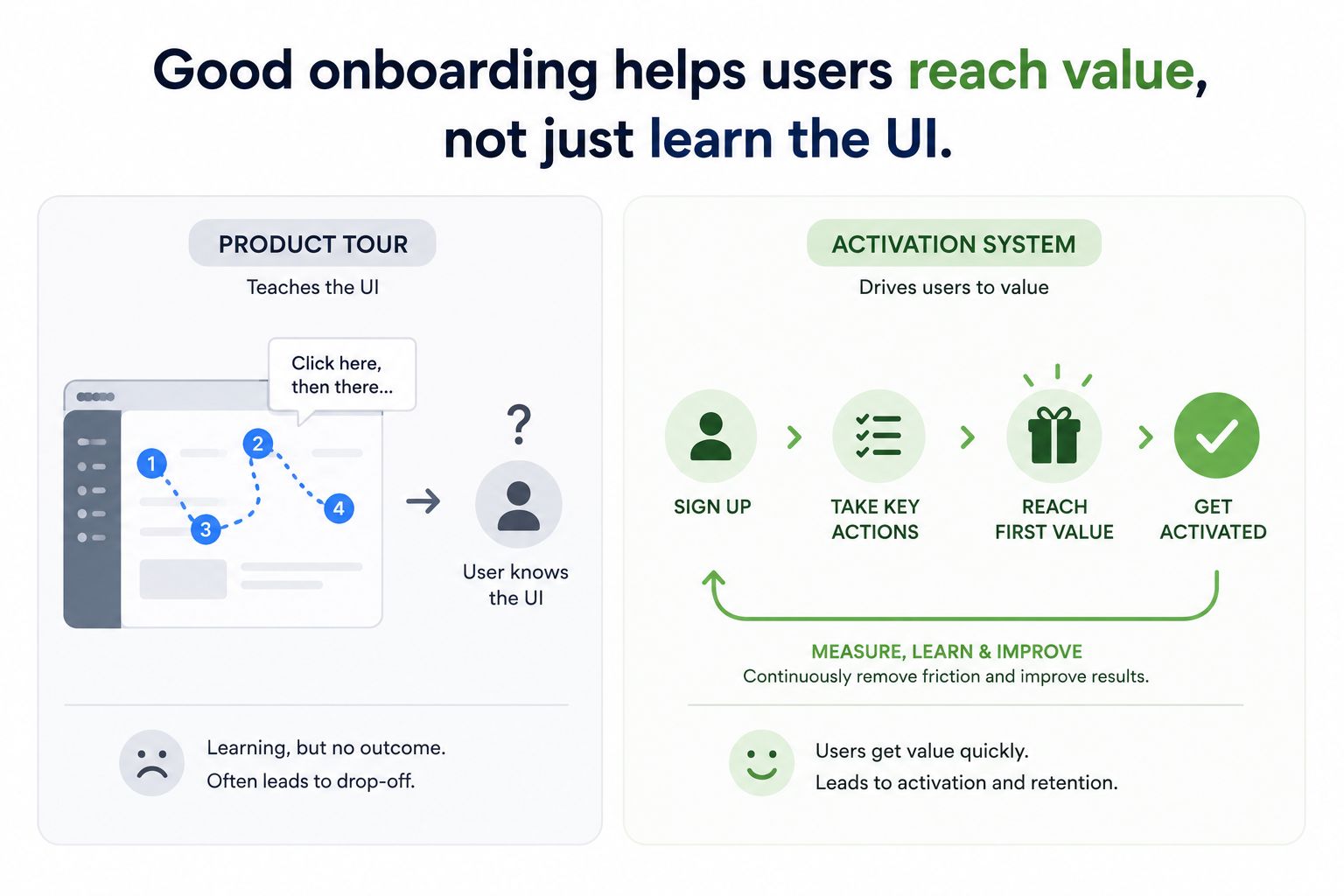
Showing users where the buttons are isn't onboarding. Onboarding is everything that helps them get their first real result. That's why activation matters more than tour completion.
What to optimize for instead of completion
If your onboarding is working, you should see measurable movement in:
Time-to-value: how long it takes a new account to reach the first meaningful outcome.
Activation conversion: the percentage of new signups that complete the actions that predict retention.
Early retention: return rate in week 1 and week 2, after onboarding nudges are gone.
The practical definition of onboarding for B2B SaaS
Onboarding is the set of in-product and out-of-product interventions that move a user from “signed up” to “I got what I came for” with minimal effort. That includes:
In-app onboarding flows (tooltips, modals, checklists, interactive guides)
Triggered education (emails, in-app messages, short videos)
Sales or success touchpoints (especially for sales-led or hybrid motions)
Instrumentation and iteration (onboarding analytics, segmentation, experimentation)
If you only build walkthroughs, you’re shipping a UI tutorial. If you build the system, you’re engineering activation.
A simple activation framework you can actually operate
Here’s a framework you can run with a small team. It forces clarity on what “activated” means, where users get stuck, and what your onboarding flow should do about it.
Step 1: Define the activation path in 3 to 5 events
Activation paths are product-specific, but they should be short and observable. Examples:
CRM for SMB: Import contacts → Create pipeline → Add first deal → Log first activity
Analytics: Install snippet → Send first event → Create first dashboard → Invite teammate
Project management: Create workspace → Create first project → Add tasks → Assign teammate
Keep it honest. If you need 12 steps, you don’t have an activation path, you have a training program.
Step 2: Instrument each step with a single source of truth
You cannot apply product onboarding best practices without instrumentation. Track:
Event completion rate per step
Median time between steps
Drop-off cohorts (by persona, acquisition channel, plan, company size)
If you don’t have this, you will argue based on anecdotes. If you do have it, you can prioritize based on impact.
Step 3: Map interventions to bottlenecks, not to features
Each step needs an intervention that reduces friction. A quick mapping pattern:
Users don’t know what to do → contextual tooltip, short guided flow, example template
Users can’t do it → inline validation, better defaults, fewer required fields
Users won’t do it → show value proof, make the next step optional, offer a fast path
Step 4: Add segmentation and triggers
Two users can sign up for the same product and need different onboarding. Segment by:
Role (founder vs ops vs engineer)
Use case selected at signup
Company size or team maturity
Behavior (stuck on step 2 for 24 hours, repeated errors, no teammate invited)
This is where onboarding stops being “one checklist for everyone” and becomes a system.
Step 5: Iterate using a weekly activation review
Make it operational. Every week, review:
Activation conversion by cohort
Top step drop-offs and time delays
Support ticket themes from new users
One change to ship (not ten)
Five product onboarding best practices that actually move activation
Below are the five highest-leverage product onboarding best practices I’ve seen consistently improve activation across PLG, sales-led, and hybrid motions. Each includes a concrete SaaS example and what to measure so you know it worked.
1) Design onboarding around “first value,” not “first login”
First value is the first moment a user gets a meaningful outcome, not just an action. “Created a project” is an action. “Shared a project plan with my team” is closer to value.
Example (B2B scheduling SaaS): The temptation is to onboard users through settings: business hours, availability rules, calendar integrations. But the first value is “a meeting got booked.” A better activation path is:
Create booking link with sensible defaults
Connect one calendar
Send link to yourself (or a teammate) to test booking
What to change in the onboarding flow:
Move “advanced settings” behind an “Optimize later” link.
Provide a one-click default booking page template.
Use a short in-app guide that ends with a real booking test.
What to measure: median time from signup to first booked meeting; activation conversion to “meeting booked” within 24 hours.
2) Use progressive disclosure with a fast path and a deep path
New users want momentum. Power users want control. Progressive disclosure gives both without forcing everyone through the same tunnel.
Example (data enrichment SaaS): Some users want to enrich 50 leads manually. Others want an API integration. If you force API setup in onboarding, you lose the manual users. If you only teach manual, you delay value for technical teams.
What to change:
Offer an early choice: “Enrich a list now” vs “Integrate via API.”
For the fast path, ship a sample CSV and a prebuilt mapping.
For the deep path, provide a minimal working API call and a test key.
What to measure: activation conversion by chosen path; time-to-value per path; drop-off rate at the decision step.
3) Trigger help at the moment of friction, not at the start
Most onboarding content is front-loaded. That’s convenient for teams, not for users. The best onboarding flows respond to behavior: errors, stalls, and repeated backtracking.
Example (B2B invoicing SaaS): Users often fail at “connect bank account” or “set tax rules.” A generic tour won’t help. A triggered intervention will.
What to change:
If a user spends 90 seconds on the bank connection screen, show a tooltip explaining supported banks and a fallback (manual upload).
If they hit the same validation error twice, show an inline explanation with an example value.
If they abandon setup, send a short email with a 30-second video on that exact step.
What to measure: error rate per step; completion rate after trigger; support tickets tagged to the step.
4) Build an onboarding checklist that adapts to behavior
Checklists work when they are honest and contextual. They fail when they become a static “do these 7 things” list that ignores what the user already did or what they actually need.
Use a checklist as a dynamic progress model:
3 to 5 tasks max
Each task maps to an activation event
Tasks unlock based on completion and segment
Each task has a clear payoff (not “configure settings”)
If you want a deeper blueprint, see this onboarding checklist approach that ties tasks to behavior instead of assumptions.
Example (team collaboration SaaS): Checklist tasks might be:
Create workspace
Invite 1 teammate
Create first shared artifact (doc, board, or project)
But if the user is solo, “invite teammate” becomes a dead end. Swap it with “import existing file” or “use a template.”
What to measure: checklist task completion rate; activation conversion; early retention difference between users who complete 2+ tasks vs those who complete none.
5) Treat onboarding as a loop that drives feature adoption, not a one-time event
Activation gets users to first value. Retention comes from habit and expanding usage. Your onboarding should not end after day 1. It should evolve into lifecycle onboarding: contextual prompts that introduce the next best feature when the user is ready.
Example (security compliance SaaS): First value might be “run first scan.” But long-term adoption depends on:
Scheduling scans
Assigning remediation tasks
Exporting reports for audits
What to change:
After first scan completes, trigger a short guide to schedule recurring scans.
When a user views findings twice, prompt them to assign an owner.
When they invite a teammate, introduce reporting and permissions.
What to measure: feature adoption curves (week 1, week 4); retention by feature usage; expansion signals (invites, integrations, repeated workflows).
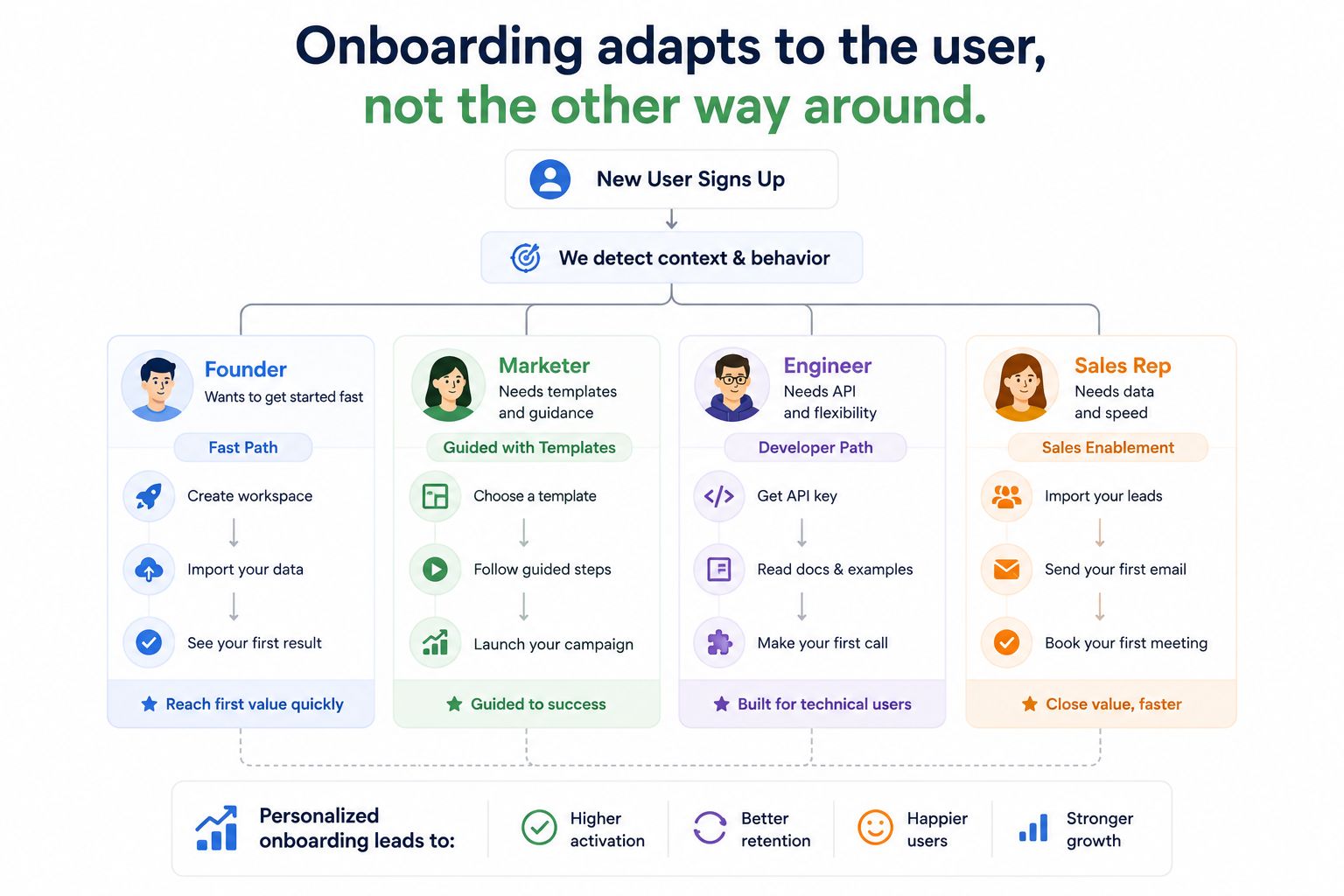
Examples of segmented onboarding flows triggered by user behavior.
Onboarding metrics that matter and what to do when they move
Metrics are only useful when they tell you what to change. Below are the onboarding analytics that most reliably diagnose what’s broken, plus the action you should take.
The core metrics dashboard
Activation rate: % of new users who complete your activation event(s) within a set window (24h, 7d).
Time-to-value (TTV): median time from signup to activation.
Step conversion: completion rate per activation step.
Step time: time spent between steps (detect stalls).
Early retention: week 1 and week 2 return rate.
Leading adoption indicators: invites, integrations, repeated key actions.
How to respond when a metric changes
Use this playbook:
Activation rate drops, TTV unchanged: Your targeting or acquisition mix changed. Segment by channel and persona, then tailor onboarding flows by segment.
TTV increases, activation rate stable: Users still get there, but slower. Remove steps, improve defaults, and add a fast path to first value.
Step 2 conversion collapses: That step is too hard or unclear. Add contextual guidance, templates, or fallback options. Do not add more steps before it.
Activation improves but retention does not: You are activating on a shallow event. Redefine activation to include a repeatable workflow or team adoption signal.
If your conversions “don’t make sense,” a structured diagnostic helps. This funnel analysis playbook is a good starting point for turning confusion into an actionable investigation.
The biggest onboarding mistakes that quietly kill activation
Most teams think they have an onboarding problem, but they actually have an activation definition problem or a targeting problem. These mistakes show up repeatedly when implementing product onboarding best practices without the measurement layer.
Mistake 1: Measuring onboarding success by completion rate
Completion rate is a vanity metric unless it correlates to retention or revenue. If completion goes up but activation does not, your onboarding is entertaining, not effective.
Mistake 2: One onboarding flow for every persona
A founder signing up for a CRM wants speed. A sales ops manager wants control and governance. An SDR wants “tell me what to click.” If you serve one flow, you serve no one well.
Mistake 3: Forcing configuration before value
Settings screens are where motivation goes to die. Push configuration later unless it is required to reach first value.
Mistake 4: Hiding the “why” behind busy UI guidance
Users don’t need to know where buttons are. They need to know what outcome to pursue. A single sentence of value context often beats five tooltips.
Mistake 5: Treating onboarding as a one-time project
Onboarding is a living system. Every new feature, pricing change, or acquisition channel shift changes who shows up and what they need. If you don’t revisit onboarding monthly, it decays.
How to operationalize these best practices across different SaaS motions
The same product onboarding best practices apply across PLG, sales-led, and hybrid, but the interventions differ. Here’s a practical mapping.
PLG motion
Bias toward self-serve fast paths and templates.
Use triggered in-app nudges based on behavior.
Measure activation and retention by acquisition channel.
Sales-led motion
Onboarding spans product plus humans: kickoff, implementation, training.
Instrument the in-product steps anyway so success teams know where accounts stall.
Segment by account plan, industry, and implementation complexity.
Hybrid motion
Use in-product onboarding to qualify and accelerate, then route complex accounts to humans.
Trigger sales assist when users hit high-intent actions (integration screens, invite teammates, pricing page visits).
For industry-specific patterns and examples, this guide on app onboarding process design is useful when your activation path changes by vertical.
Signal you observe | Likely root cause | Onboarding change to test | Metric to watch |
|---|---|---|---|
High signup volume, low activation | Mismatch between acquisition promise and first value | Rewrite first-run experience around a single use case and fast path | Activation rate within 24h and 7d |
Users stall on one setup step | Step is unclear or too costly | Add template, default, or fallback option; trigger contextual help | Step conversion and step time |
Good activation, weak retention | Activation event is too shallow | Redefine activation to include repeat usage or team adoption | Week 1 and week 2 retention |
Support tickets spike from new users | Hidden edge cases and confusing UX | Instrument errors; add inline explanations and guardrails | Ticket volume and error rate |
FAQ about product onboarding best practices
How many steps should an onboarding flow have?
As few as possible to reach first value. For most B2B SaaS products, an activation path of 3 to 5 observable steps is a good constraint. If you need more, split into a fast path (minimum viable setup) and a deep path (advanced configuration later).
What is the difference between a guided product tour and onboarding?
A guided product tour is one tactic, usually a step-by-step UI guide. Onboarding is the full activation system: segmentation, triggers, templates, lifecycle prompts, and measurement. Tours can help, but only when they map to activation events and reduce friction.
Which onboarding metrics should I start with if I have limited tracking?
Start with (1) activation rate, (2) median time-to-value, and (3) step conversion for your 3 to 5 activation events. If you can add one more, track errors on the step where users most commonly stall. For metric definitions and how to act on them, resources like Amplitude’s activation and retention guides can be helpful: Amplitude product activation.
When should I use a customer onboarding platform?
Use a customer onboarding platform when you need to ship segmented onboarding flows without engineering, and when you want to measure step drop-off and impact on activation. The key is choosing one that supports targeting, triggers, and analytics so onboarding becomes iterative, not static.
If you want to implement these product onboarding best practices without waiting on engineering cycles, Founder OS combines no-code onboarding flows with measurement, segmentation, and completion analytics so you can see where users drop off, ship targeted fixes, and reduce time-to-value. Start small: instrument your activation path, launch one guided flow for the biggest bottleneck, and iterate weekly based on what the data says.

Read Next
View all
Product Walkthrough Tools for B2B SaaS, the Shortlist, Scorecard, and True Cost Comparison
Compare product walkthrough tools for B2B SaaS with a shortlist, success scorecard, and true cost scenarios for 2k, 10k, and 50k users.

SaaS Onboarding Flow That Drives Activation, A Builder-Ready Framework and Buyer Checklist
Build a saas onboarding flow that drives activation with segments, triggers, tracking, and a buyer checklist for no-code flow builders.

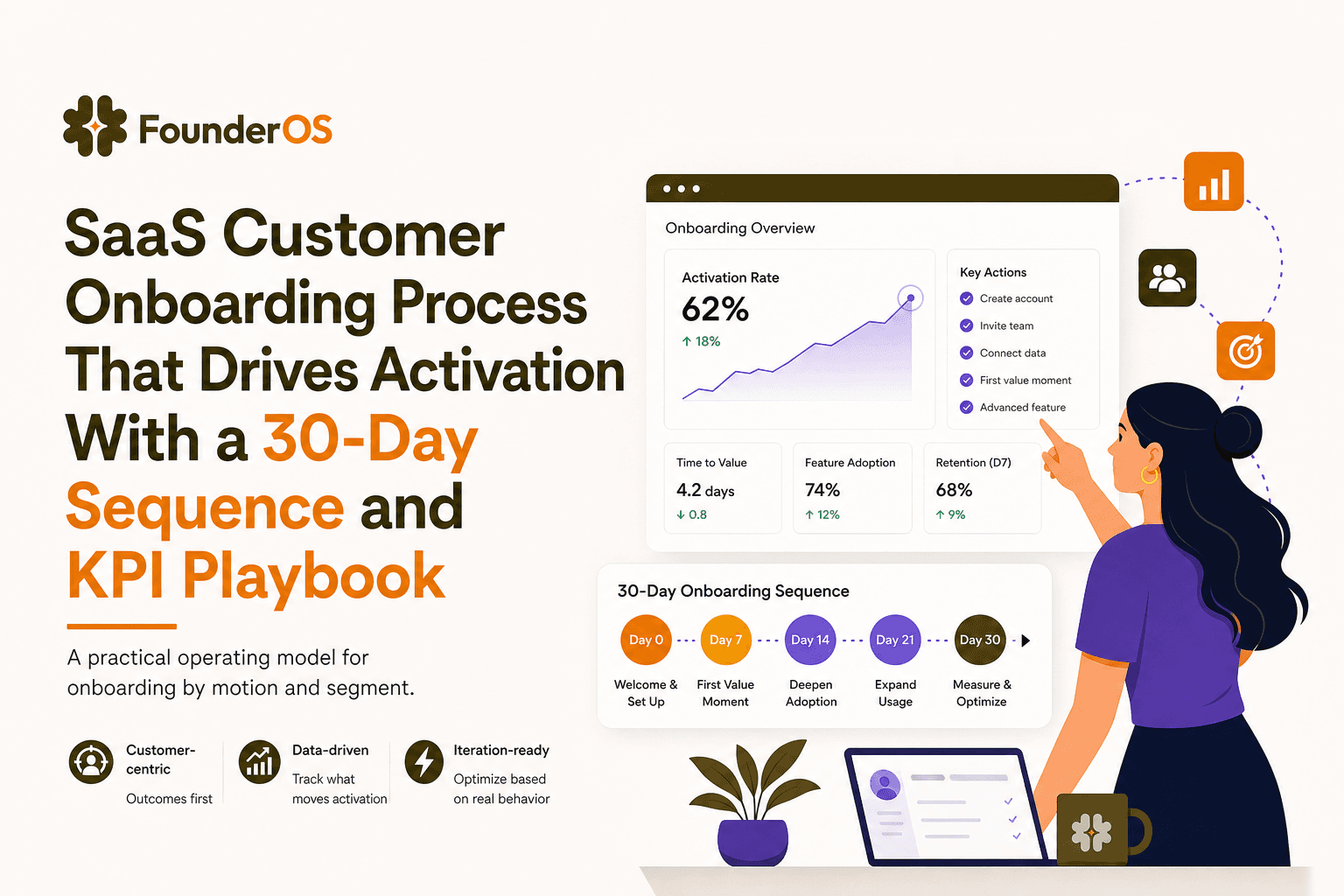
SaaS Customer Onboarding Process That Drives Activation With a 30-Day Sequence and KPI Playbook
Build a saas customer onboarding process with a 30-day sequence, triggers, RACI ownership, and KPI formulas to reach activation faster.
