
Cohort Retention Analysis, A Practical Framework for Finding and Fixing SaaS Churn
Cohort retention analysis helps B2B SaaS teams understand which users stay, why engagement changes, and where product experiences create churn risk. The method groups users by shared characteristics such as signup timing, product behavior, or lifecycle signals, then measures how those groups continue using the product over time. Effective analysis connects user events, activation milestones, and revenue outcomes so teams can make retention decisions based on evidence instead of averages.
- Use acquisition, behavioral, and predictive cohorts to uncover different retention signals and avoid relying on a single metric.
- Calculate retention with consistent cohort definitions, return events, and observation periods to create trustworthy comparisons.
- Connect retention patterns to onboarding, activation, and product analytics workflows that reduce churn.
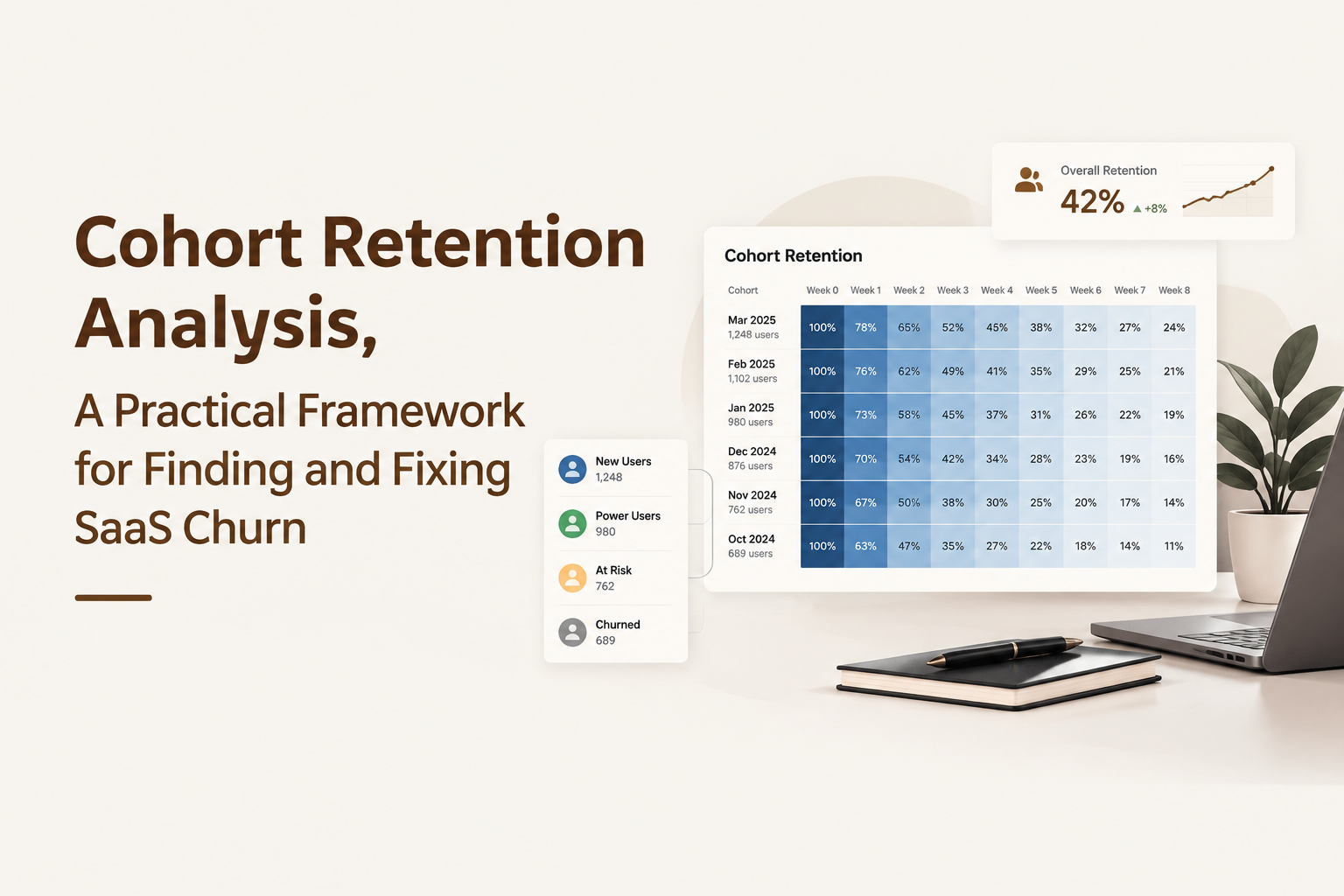
Build Cohort Retention Analysis Around User Behavior, Not Just Signup Dates
Cohort retention analysis works best when cohorts represent meaningful user behavior rather than only calendar dates. Signup-based groups show when customers entered, but behavioral groups explain what actions create lasting value.
Choose the right cohort model for the business question
SaaS teams usually need three cohort types to understand retention drivers:
- Acquisition cohorts: Group customers by signup week, month, campaign, or channel to compare the quality of incoming users.
- Behavioral cohorts: Group users by actions such as completing onboarding, using a core feature, inviting teammates, or creating their first project.
- Predictive cohorts: Group accounts by warning signals such as declining activity, reduced feature usage, or missed engagement milestones.
A signup cohort may show that January customers retain less than February customers, but it does not explain why. A behavioral cohort can reveal that users who complete a key activation step during their first week remain active longer. A predictive cohort can identify customers who need intervention before renewal risk increases.
In our experience working with SaaS growth teams, the strongest retention investigations begin with a specific decision. Teams get better results when they ask which behavior separates retained users from churned users before creating dashboards.
Create a cohort framework before analyzing data
A practical framework includes five definitions: entry condition, qualifying action, retention event, measurement window, and comparison group. Without these rules, two teams can calculate different retention numbers from the same database.
For example, a collaboration platform may define an activated user as someone who creates a workspace and invites another member within seven days. The retention event could be completing a meaningful collaboration action in later weeks. This creates a clearer connection between onboarding success and long-term usage.
Calculate Retention Rates With a Complete Cohort Example From Raw Users to Results
Retention calculations become reliable when teams define the cohort size, returning users, and time period before building the table. The basic formula is: retention rate = returning users in a period divided by original cohort users multiplied by 100.
Build the cohort table step by step
Imagine a SaaS product tracks 100 users who signed up in January. After the first month, 60 users complete the defined retention action. After the second month, 45 users return. The cohort table would show:
| Cohort | Starting Users | Month 1 Retention | Month 2 Retention |
|---|---|---|---|
| January Signups | 100 | 60% | 45% |
The calculation is simple, but the interpretation requires context. A 60% first-month retention rate may look strong or weak depending on the product category, customer segment, and activation definition. Teams should compare similar cohorts rather than treating one number as universal.
Separate user retention from revenue retention
User retention measures whether people continue engaging with a product. Revenue retention measures whether the business keeps customer value. SaaS teams should monitor user retention alongside logo retention, gross revenue retention, and net revenue retention to understand both usage and financial impact.
When we tested cohort comparisons across different customer groups, the clearest insights came from combining behavior data with account information. A customer segment that looked healthy by login frequency sometimes showed weaker feature adoption and lower expansion potential.
Choose the Right Workflow for Cohort Retention Analysis in Excel, SQL, or Analytics Tools
Cohort retention analysis workflows should match the team's data maturity, reporting needs, and speed of decision making. The right approach depends on whether the goal is exploration, recurring reporting, or real-time product improvement.
Compare common implementation methods
| Method | Best Use Case | Main Limitation |
|---|---|---|
| Excel or spreadsheets | Early exploration and small datasets | Manual updates become difficult as event volume grows |
| SQL and databases | Custom analysis with large datasets | Requires technical resources and maintenance |
| BI dashboards | Company reporting and recurring metrics | May lack detailed user behavior exploration |
| Product analytics platforms | Event-based retention monitoring and user analysis | Requires accurate event tracking setup |

Select tools using practical criteria
Evaluate analytics workflows using four criteria: event collection accuracy, segmentation flexibility, speed of investigation, and connection between insights and action. A spreadsheet may work for a monthly review, while a product team tracking thousands of daily events usually needs automated behavioral analysis.
A repeatable workflow should allow teams to move from a retention drop to a user-level investigation. The analyst should be able to identify the affected cohort, inspect common behaviors, and decide which product change should be tested next.
Turn Retention Curves Into Product Decisions That Reduce Churn
Retention curves reveal product health by showing whether users continue returning after their first experience. The shape of the curve often points toward specific product problems.
Interpret common retention patterns
- Sharp early decline: Usually indicates activation problems, unclear onboarding, or weak initial value delivery.
- Slow continuous decline: May indicate missing habits, limited feature adoption, or insufficient ongoing value.
- Stable long-term curve: Suggests that retained users have found repeatable product value.
A cohort retention curve becomes more useful when connected to user actions. Teams should ask what retained users did differently during their first days and weeks.
We initially assumed that higher login frequency always represented stronger retention, but product data often showed that completing a core workflow was a better predictor of long-term value. After running retention audits, the pattern was clear: meaningful outcomes matter more than surface activity.
Connect retention findings to experiments
Use retention insights to create measurable actions. Examples include improving onboarding completion, adding guidance around underused features, creating targeted education flows, or adjusting customer success outreach for at-risk segments.
Use Product Analytics Platforms to Automate Cohort Retention Monitoring
Automated product analytics platforms help SaaS teams monitor retention by connecting event tracking, user profiles, segmentation, and growth reporting in one workflow. The evaluation criteria should focus on whether teams can move from data collection to product decisions quickly.
Evaluate analytics capabilities
Look for platforms that support:
- Reliable event tracking for user actions.
- User Profile Tracking that connects events to individual journeys.
- User segmentation based on real behavior.
- Reporting workflows that connect product insights with growth decisions.
Founder OS supports this workflow by combining Product Tracking, User Profile Tracking & User Segmentation, GTM Report capabilities, and Product Onboarding Tool workflows so founders and growth teams can connect product behavior insights with go-to-market decisions.
Frequently Asked Questions About Cohort Retention Analysis
Founder OS helps SaaS founders and growth teams automate retention tracking, understand user behavior, and connect product analytics insights with GTM decisions. Start tracking product events, analyzing segments, and improving retention workflows with Founder OS today.

Product Adoption Platform Buyer Guide - Validate the Right Tool in 7 Days
Use this 7-day plan to validate a product adoption platform with activation metrics, instrumentation, and a minimum viable onboarding flow.

PostHog Pricing Explained, Plus the Real Costs That Don’t Show Up on the Plan Page
Understand posthog pricing in practice: what drives spend, hidden overhead, and when a simpler stack like Founder OS is cheaper and faster.
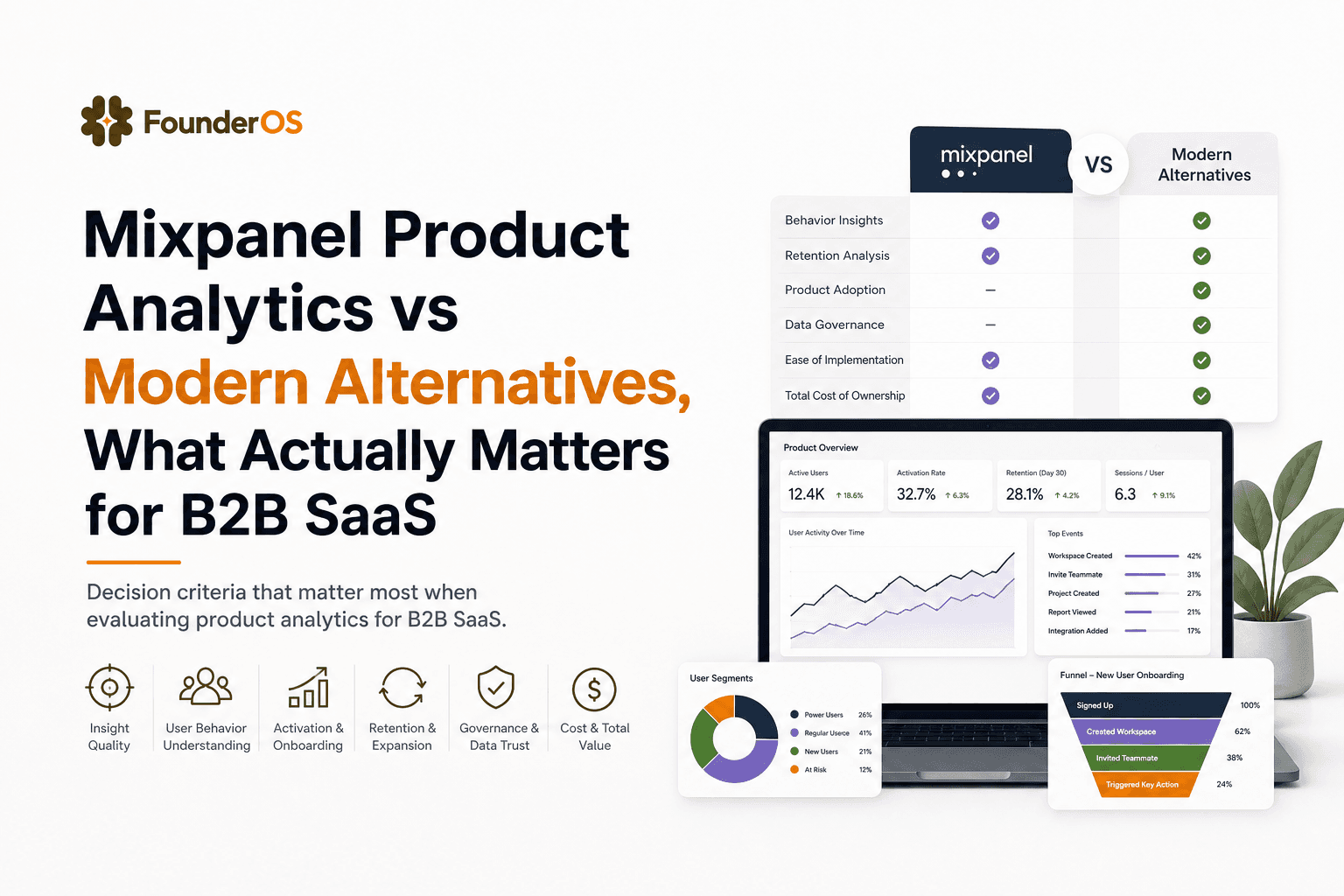
Mixpanel Product Analytics vs Modern Alternatives, What Actually Matters for B2B SaaS
Learn how to evaluate mixpanel product analytics vs modern alternatives using tracking fit, identity, cost predictability, and activation workflows.