
Analytics Events Tracking for B2B SaaS, A KPI-First Framework
Analytics events tracking works best in B2B SaaS when you start from the KPIs you need to move, then track only the user actions that can explain and improve those KPIs.
- Map revenue, activation, retention, and lead quality KPIs to a short list of events you can take action on, not a long catalog of clicks.
- Use a simple taxonomy plus a reusable naming and parameter schema so reporting stays readable as your product grows.
- Validate tracking with realtime and debug workflows, then turn event data into specific product and GTM decisions.
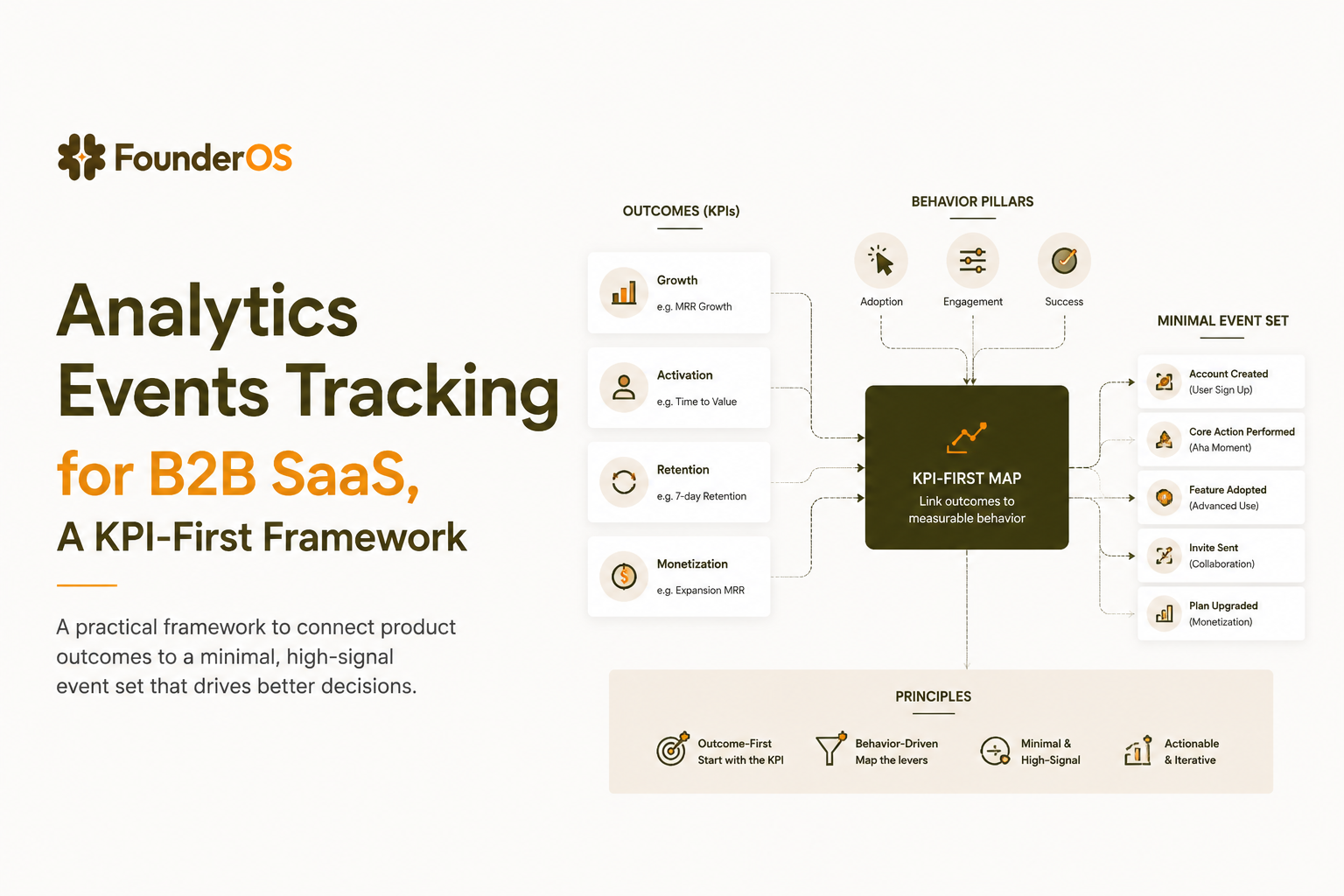
Start With Business Outcomes, Not Event Lists
In product analytics, an “event” is a timestamped record of something that happened—either a user interaction (clicked, invited, published) or a system-triggered occurrence (sync_failed, notification_sent, entitlement_granted). “Event analytics” is the practice of analyzing those event sequences to understand journeys and causality (what actions lead to activation, retention, and revenue). This differs from traditional web analytics that often centers on page views and sessions: for B2B SaaS, the decisions usually depend on in-product actions tied to accounts, roles, and plans. That’s why analytics events tracking works best when you treat events as evidence for outcomes, not as a catalog of UI interactions.
The common failure mode is instrumenting “everything we can” and ending up with hundreds of events that answer nothing. The consequence is slow analysis, unclear definitions, and teams arguing over what a metric “really means” instead of shipping fixes. A KPI-first approach reverses that: decide the metric you will move, then define the minimal event evidence needed to diagnose and act.
A KPI-first mapping framework (4 steps)
- Pick the KPI that represents success for the next 30 to 90 days (one per workflow). Examples: activation rate, product-qualified lead rate, trial-to-paid conversion, expansion readiness.
- Define the “moment” that indicates progress (an observable action in-product). Example: “created first workspace,” “connected data source,” “invited teammate,” “published first report.”
- Define the smallest set of events that can explain variance: a success event plus 3 to 7 leading events that precede it. If an event cannot explain why users fail or succeed, it is a candidate to skip.
- Decide the decision the team will make from the data. If there is no decision, the event is noise.
A practical KPI-to-event mapping table
| Outcome KPI | Diagnostic question | Minimum “must-track” events | Typical decision it enables |
|---|---|---|---|
| Activation rate | Where do new signups stall before value? | signup_completed, onboarding_started, key_action_completed | Change onboarding steps, add guidance, remove a blocker |
| Trial-to-paid conversion | Which usage patterns predict purchase? | plan_viewed, checkout_started, payment_success, feature_used | Adjust paywall, improve pricing page, target “ready” accounts |
| Retention (D7/D30) | Which behaviors correlate with returning? | session_started, core_feature_used, notification_configured | Prioritize sticky features and adoption prompts |
| Lead quality | Which sources create users who activate? | signup_completed (with source), key_action_completed | Shift spend to channels that create activators |
What we keep vs. cut (a quick checklist)
- Keep events that represent a step in the user journey or a product promise (activation moments, adoption actions, account expansion signals).
- Keep events that explain drop-off (errors, validation failures, permission issues) when they block a key KPI.
- Cut or de-prioritize events that are not tied to a decision (random button clicks, “viewed page” for every route when you already have route analytics).
- Cut events that cannot be segmented in a meaningful way because they carry no parameters or identity.
Use a Simple Event Taxonomy Without Overtracking
Analytics events tracking stays maintainable when you separate automatically collected events from recommended journey events and a small set of KPI-critical custom events.
A lightweight taxonomy helps you answer two questions quickly: (1) do we already have this signal automatically, and (2) if we add it, will anyone use it in reporting? In our experience working with B2B SaaS teams, the tracking plan stabilizes faster when you cap custom events early and force each one to justify its place with a KPI and owner.
Three tiers that keep scope under control
- Automatically collected events: baseline signals such as page views, sessions, referrers, and basic engagement. Use these for broad behavior and acquisition paths, not for measuring product value.
- Recommended journey events: standard moments most SaaS products share, such as signup_completed, login_success, onboarding_completed, invite_sent. These give you basic conversion and retention scaffolding.
- Custom value events: product-specific actions that represent value delivery, such as connected_integration, report_published, alert_created, api_key_created. These are the core of decision-grade product analytics.
Criteria to decide if a custom event is worth it
| Criterion | Pass looks like | Fail looks like |
|---|---|---|
| Decision linkage | Owner can name a concrete decision it will drive | “Nice to have” or “might be useful later” |
| Value representation | Event indicates user got closer to promised outcome | Event is just navigation or UI interaction |
| Segmentability | Has parameters for meaningful breakdowns | No properties, cannot compare cohorts |
| Stability | Underlying UI or API is unlikely to change weekly | Frequent redesigns will invalidate continuity |
Guardrails to prevent “event sprawl”
- One new event in, one old event out after your first 30 to 60 days of instrumentation.
- Version intentionally only when semantics change. Example: report_published_v2 if v1 and v2 represent different value.
- Prefer parameters over new event names for variants. Example: onboarding_step_completed with step_name rather than 12 separate events.
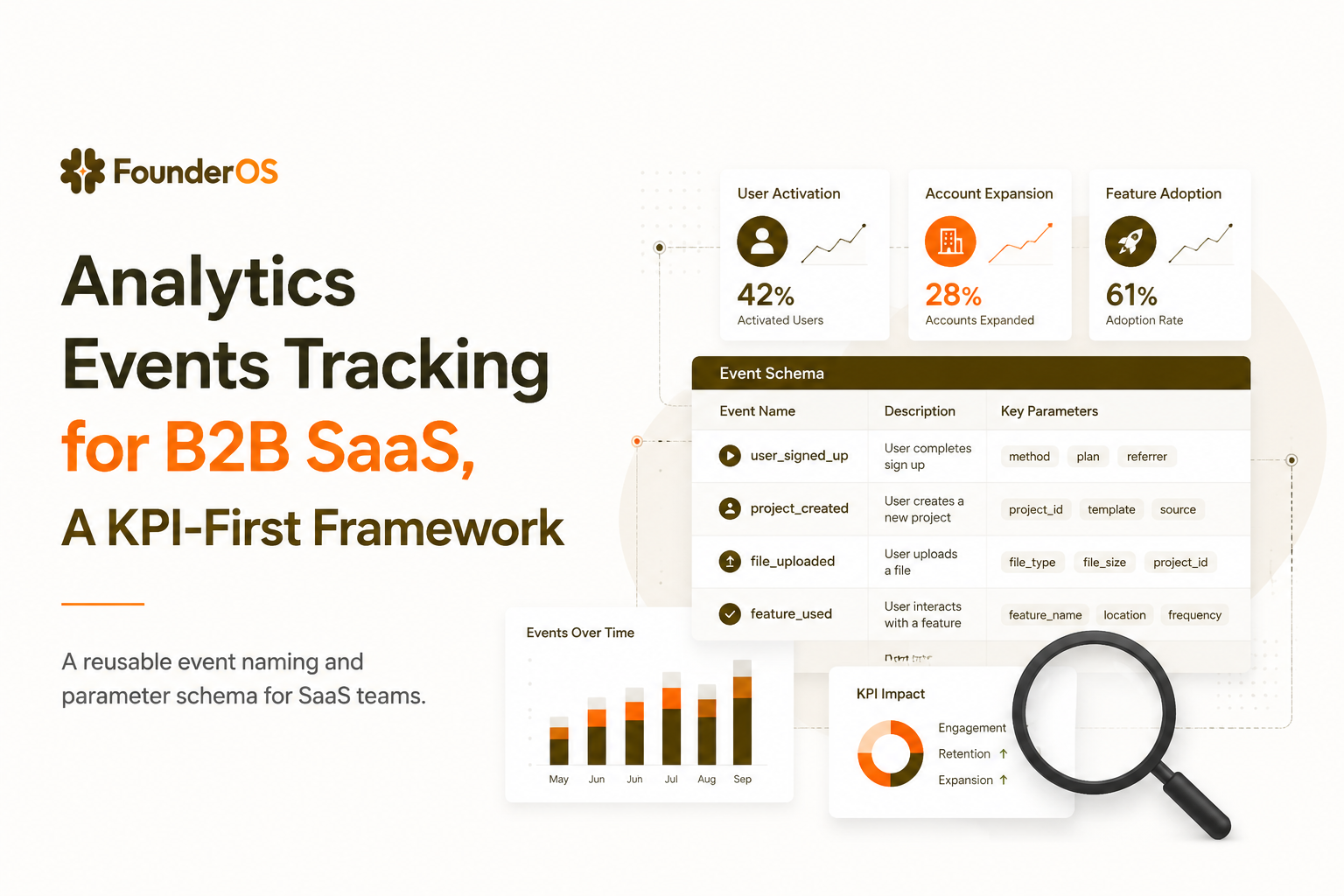
Design a Reusable Event Name and Parameter Schema
Readable analytics events tracking requires consistent event names and properties so reports stay interpretable months later, even as your team changes.
Most reporting confusion comes from ambiguity: different engineers naming the same action differently, or the same event meaning different things in different contexts. Fixing it later is painful because dashboards and alerts depend on the event contract.
A clean naming pattern that scales
Use a verb_noun pattern for events and reserve past tense for completed moments. The goal is that a non-engineer can understand the timeline just by reading event names.
- Good: signup_completed, workspace_created, integration_connected, report_published, invite_sent
- Avoid: click_button, page_visited, user_did_thing, onboarding (too vague)
Parameter schema that makes analysis possible
Event name answers “what happened” (integration_connected). Event parameters—often called properties in product analytics—answer “which one, for whom, and in what context” (integration_type, account_id, plan, source). A concrete payload should be readable at a glance, for example: event_name=integration_connected with user_id, account_id, role, plan, integration_type, source, error_code (nullable), and timestamp. Treat parameters as part of the contract: missing context is what turns a trackable action into an un-actionable chart.
- Identity: user_id, account_id (or workspace_id), role
- Context: plan, environment (prod/staging), app_version
- Acquisition: utm_source, utm_campaign, referrer
- Object metadata: feature_name, integration_type, report_type
- Journey helpers: onboarding_step_name, error_code, paywall_surface
Event contract template (copy and reuse)
| Field | Example | Rule |
|---|---|---|
| event_name | integration_connected | Lowercase snake_case, verb_noun, stable meaning |
| account_id | "acc_9a21" | Always present for B2B analysis |
| user_id | "usr_18c2" | Always present once authenticated |
| integration_type | "salesforce" | Enum-like strings, not free text |
| source | "settings" | Where action was initiated |
| timestamp | ISO 8601 | Server time preferred for key events |
Common schema mistakes (and fixes)
- Mixing types ("1" vs 1): pick a single type per property and enforce it.
- Overloading property names (plan means billing tier in one event, feature tier in another): rename to billing_plan and feature_tier.
- Leaking PII (email, full name) into event payloads: pass stable IDs, store PII in your CRM or user profile system with access controls.
Choose the Right Tracking Method for Your Stack
Analytics events tracking implementation should match your team’s velocity, data quality needs, and the parts of the app you can safely instrument without breaking releases.
No single method wins everywhere. What matters is: can you reliably capture identity, attach the right parameters, and keep the event contract stable through product changes?
Implementation options and when they fit
| Method | Best for | Tradeoffs | Typical failure mode |
|---|---|---|---|
| Tag manager (web) | Fast iteration on marketing and basic product events | Harder to keep schemas consistent; identity can be brittle | Event names drift; properties missing on some routes |
| gtag.js style client tracking | Simple web apps with stable front-end | Client-only; ad blockers can affect completeness | Critical steps missing when SPA routing changes |
| Product SDK (web/mobile) | Richer product analytics with cohorts and funnels | Requires engineering time and versioning discipline | Inconsistent user/account identity mapping |
| Server-side tracking | Billing, provisioning, entitlement, high-trust events | More integration effort; needs id stitching | Double-counting when client also fires same event |
| Hybrid (client + server) | Most B2B SaaS products | Requires clear rules and deduplication keys | Two sources disagree on truth |
A simple decision rubric
- If the event impacts money or access (payment_success, subscription_upgraded, seat_added), prefer server-side as the source of truth.
- If the event represents product usage (feature_used, report_published), client or SDK is usually fine, but ensure account_id and user_id are attached.
- If you need speed for iteration, start with tag manager for low-risk events, then migrate KPI-critical events into code once definitions settle.
One body mention: where a unified platform helps
What surprised our team was how often “implementation choice” became an analysis problem later, so we now standardize identity and parameter contracts first, then instrument; platforms like Founder OS combine product tracking with user profiles and segmentation plus GTM reporting, which reduces the amount of reconciliation work across tools once events are flowing.
Work Through One End-to-End SaaS Tracking Example
Analytics events tracking becomes decision-grade when you define one conversion path end-to-end, from event definitions to the dashboard question you will answer next.
Example scenario: a B2B SaaS product where activation is defined as “connect a data source and publish the first report.” The team sees plenty of signups, but activation is flat, and sales says trials are “not getting to value.”
Step 1: Define the KPI and the exact activation moment
- KPI: Activation rate = % of new accounts that publish a report within 7 days of signup.
- Activation moment: report_published where report_type is a core type (not a test report).
Step 2: Define the minimal event chain
| Step | Event | Key parameters | Why it exists |
|---|---|---|---|
| 1 | signup_completed | utm_source, utm_campaign, account_id | Acquire analysis, lead quality by channel |
| 2 | onboarding_started | source (modal/page) | Detect immediate drop-offs after signup |
| 3 | integration_connect_started | integration_type | Find friction point before value |
| 4 | integration_connected | integration_type, error_code (nullable) | Confirm success and diagnose failures |
| 5 | report_published | report_type, template_used | Activation moment and downstream adoption |
Step 3: Build the report that answers a single question
- Funnel view: signup_completed → onboarding_started → integration_connected → report_published.
- Breakdowns: by integration_type, by utm_source, by plan, by role.
- Time-to-complete: median time from signup to integration_connected (helps separate “confusing” from “slow”).
Step 4: Turn the result into a concrete next action
If drop-off is concentrated at integration_connect_started → integration_connected, the next action is not “improve onboarding generally.” It is one of the following, depending on parameter evidence:
- High error_code rate: fix the integration reliability, add clearer error states, or update scopes.
- One integration_type is the culprit: prioritize that connector’s UX and docs, or change the default suggested integration.
- Drop-off varies by utm_source: adjust targeting or landing page promises because the audience intent differs.
How this connects to deeper product analytics
Once that chain is stable, you can layer in funnel analysis diagnostics like session replays or user-level drilldowns, and expand toward event analytics patterns that correlate early usage with later revenue.
Interpret Realtime, DebugView, and Reports Without Guessing
Analytics events tracking quality is proven by a repeatable verification workflow that checks identity, parameters, and deduplication before anyone trusts a dashboard.
If you use Google Analytics / GA4 (or a similar event-based tool), this is where Realtime and DebugView-style views earn their keep: validate that the event name appears once per action, the expected parameters are present (and not empty), and the user/account identity is consistent before you mark anything as a conversion. In GA4 terms, “key events” are simply the handful of events you choose to treat as conversions—so they should map directly to your KPI-first must-track list (activation moments, payment_success, core milestones), not to generic clicks. Keep the workflow tool-agnostic: confirm ordering, required parameters, and dedupe behavior first, then interpret the funnel.
A verification workflow you can run in 15 minutes
- Trigger the event in a controlled test session (incognito or a known test account).
- Check realtime stream for the event name and timestamp ordering.
- Inspect parameters: confirm required properties exist (user_id, account_id, key context).
- Confirm identity stitching: the same user should not appear as multiple identities after login.
- Validate deduplication if you use hybrid tracking: ensure you are not counting the same success event twice.
Common “looks like a product problem, is actually tracking” issues
- Missing account_id on pre-auth events: you cannot analyze B2B conversion at the account level without it.
- Event fired on render, not on completion: report_published should fire after success, not when the modal opens.
- Parameters silently dropping: serialization issues, reserved words, or size limits can remove properties without obvious errors.
- SPA routing changes: client events tied to route transitions can break after front-end refactors.
How to translate a report into next actions
After running audits across multiple products, the pattern was clear: the best teams attach a pre-commit decision to every dashboard.
- If conversion drops week-over-week, check release notes for the step with the biggest delta and inspect that event’s parameter distributions.
- If one cohort underperforms, compare their first 3 sessions’ core_feature_used frequency and time-to-first value against the baseline cohort.
- If paid conversion rises but retention falls, look for mismatch between acquisition promises (utm_campaign) and first-week feature adoption.
Build a Copy-Ready SaaS Event Library by Funnel Stage
Analytics events tracking becomes faster to implement and easier to govern when you maintain a shortlist library organized by the customer journey, not by UI screens.
The library below is intentionally short. You should still tailor names to your product, but if you implement these with a consistent schema, you will cover most acquisition, activation, adoption, and expansion questions without drowning in noise. For a deeper planning approach, pair this with a tracking plan from digital product analytics and align definitions with how you describe user behavior internally.
Acquisition and signup
- landing_viewed (only if you need marketing-to-product continuity)
- signup_completed (utm_source, utm_campaign, referrer)
- email_verified (method)
- login_success (auth_method)
Activation (first value)
- onboarding_started (source)
- onboarding_step_completed (step_name)
- core_object_created (object_type)
- integration_connected (integration_type, error_code nullable)
- key_action_completed (key_action_name)
Adoption (habit building)
- core_feature_used (feature_name)
- report_viewed (report_type)
- alert_created (alert_type)
- notification_configured (channel)
- search_used (query_length, results_count)
Expansion and monetization
- invite_sent (role)
- seat_added (seats_added)
- plan_viewed (current_plan, target_plan)
- checkout_started (target_plan, billing_cycle)
- payment_success (amount, currency, billing_cycle)
A governance mini-process that keeps it clean
- Event owner per KPI: responsible for definitions and ongoing correctness.
- Required properties list: user_id, account_id, plan, source at minimum for key events.
- Quarterly pruning: remove unused events and consolidate variants into parameters.
| When you add a new event | Answer these 5 questions first |
|---|---|
| KPI linkage | Which KPI will move if this improves, and who owns that KPI? |
| Semantics | Is the event a start, a completion, or an error? |
| Identity | Will we always have user_id and account_id at fire time? |
| Parameters | What 3 to 5 properties will we need for breakdowns later? |
| Decision | What will we change in product or GTM if this metric shifts? |
FAQ
If you want a faster path from analytics events tracking to decisions, Founder OS can help you capture product events, tie them to user profiles and live segments, and connect those signals to GTM reporting and onboarding actions in one place. Get started free or book a demo to see how your activation and retention questions look with clean event data.

How to Identify High-Intent SaaS Users From Product Behavior
Learn how FounderOS uses event tracking, funnels, and account scoring to identify high-intent users and turn product usage into growth signals.

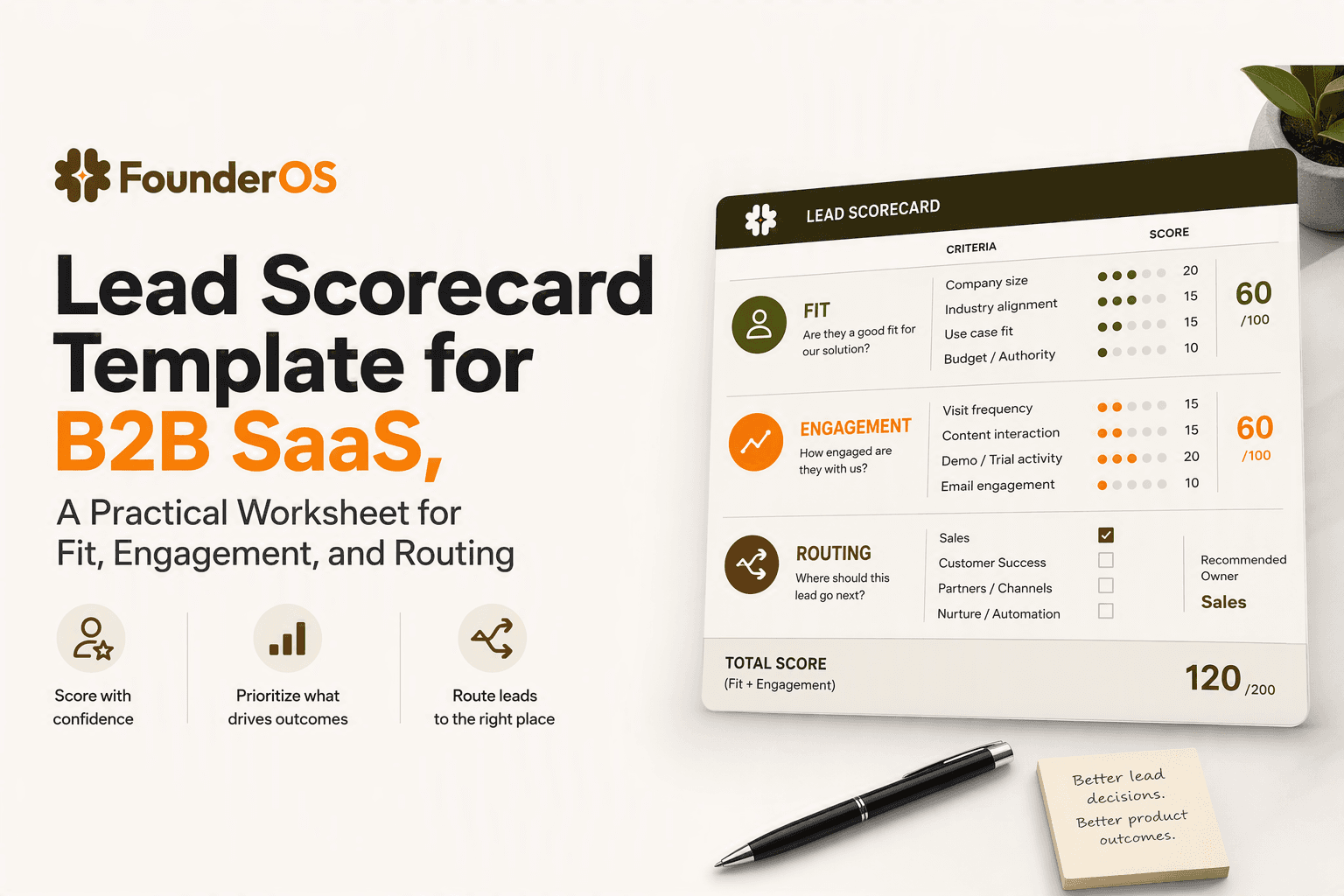
Lead Scorecard Template for B2B SaaS, A Practical Worksheet for Fit, Engagement, and Routing
Build a lead scorecard for B2B SaaS with fit, engagement, negative signals, scoring rules, and routing steps.
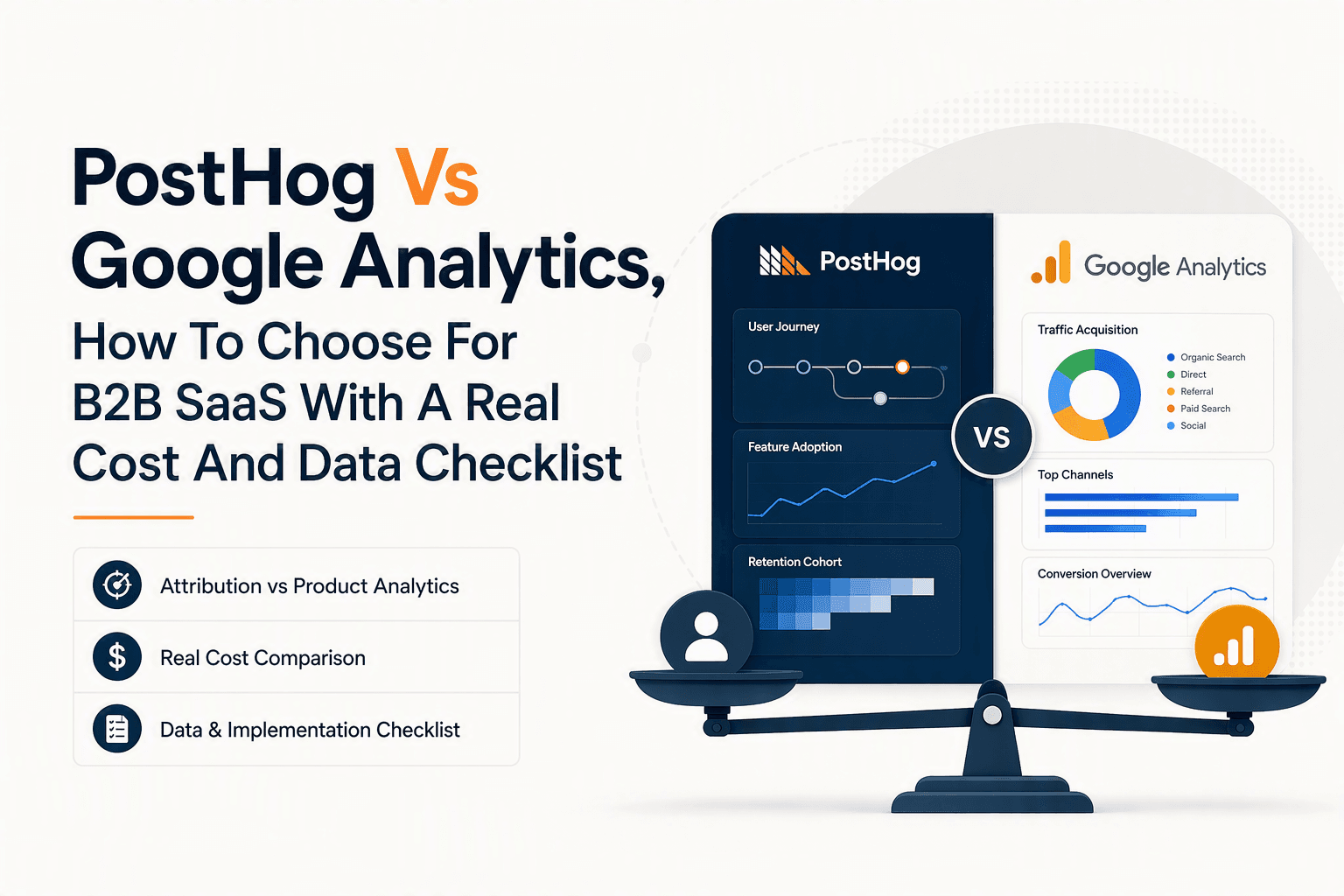
PostHog Vs Google Analytics, How To Choose For B2B SaaS With A Real Cost And Data Checklist
posthog vs google analytics for B2B SaaS: compare attribution vs product analytics, real costs at scale, data mismatches, and a 30–60 day run-both plan.