
Conversion Funnels for B2B SaaS, the Setup and Tool Checklist That Prevents Bad Decisions
Conversion funnels become decision-grade in B2B SaaS when every step is defined as an observable event with explicit entry rules, time windows, and identity standards, so you can trust drop-offs enough to ship changes.
- Define each funnel step as an event plus a clear success rule, entry rule, and time window or the drop-off will be directionally wrong.
- Instrumentation quality (identity resolution, deduping, naming) matters more than dashboard polish because it prevents data drift and false “wins”.
- Choose segmentation defaults (persona, company, lifecycle, intent) before you diagnose so your fixes map to a real buyer journey.
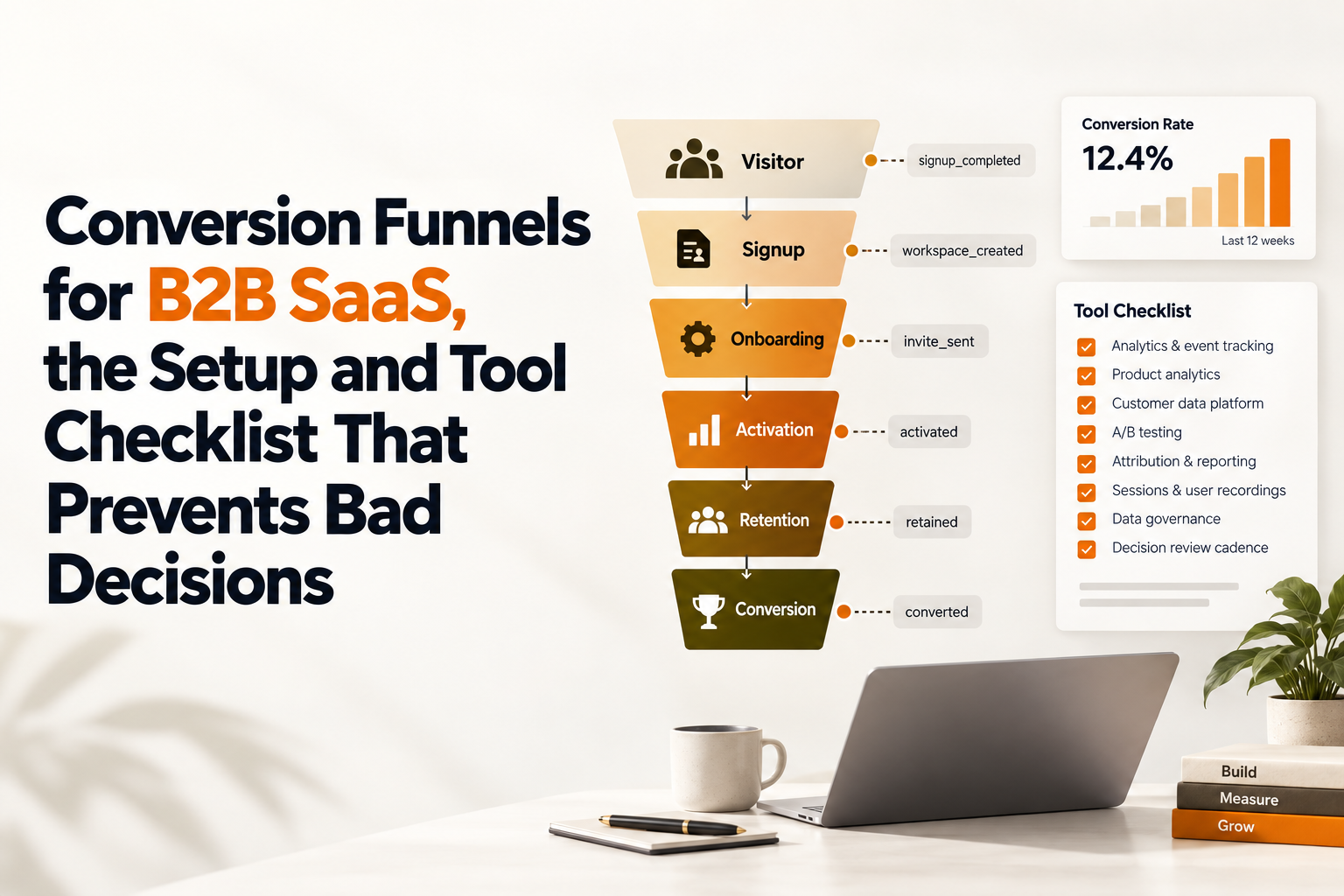
Define conversion funnels that match your product reality
Decision-grade conversion funnels start as a written spec that turns “signup to activation” into steps defined by events, entry rules, time windows, and pass criteria.
Use a funnel spec template before you touch any tool
If your team can’t agree on what “activated” means in one sentence, your funnel charts will turn into debates instead of decisions. The minimum spec we use has eight fields per step, written in plain language and then mapped to events:
- Goal: what decision this funnel should support (for example, improve trial-to-first-value, or free-to-paid upgrade).
- Population: who is eligible (new users, admins only, accounts with verified email, etc.).
- Entry event: the first observed action that starts the timer (for example,
Signed UporCreated Workspace). - Steps: each step expressed as an event name plus constraints (properties or context).
- Pass criteria: what counts as completion (first occurrence, any occurrence, or N occurrences).
- Time window: how long the user has to convert (for example, 7 days from signup for trial activation, 30 days for annual plan upgrade).
- Attribution rule: how you assign source and campaign (first touch, last touch, or within-window).
- Exclusions: bots, internal users, QA environments, backfilled imports, and edge-case flows.
Two practical guidelines keep specs honest:
- Prefer “moment of value” events over UI events. “Clicked Create” is not value; “Project Created” is closer to value because it implies a completed state.
- Limit steps to 3-6 for the primary view. You can always create a diagnostic drill-down funnel later, but executives decide faster with fewer steps.
Turn “activation” into an event-based definition that can’t be gamed
Activation is often mis-specified as a UI action (clicked) rather than a durable outcome (configured, invited, integrated). For B2B SaaS, a strong activation definition usually includes an “object created” plus a “repeat or collaboration” signal. A concrete example spec:
- Step 1:
Signed Up - Step 2:
Workspace Created(propertyplan=trial) - Step 3:
Core Object Created(propertyobject_type=dashboard) - Step 4:
Core Object Used(same object, within 72 hours)
We initially assumed “first core object created” was enough, but audit sessions showed many accounts created an object and never returned, so we added the “used within 72 hours” step to separate curiosity from intent.
Choose time windows and “counting” rules that reflect sales reality
Counting rules change your story. “First time ever” is best for activation. “Any time within window” is good for multi-step onboarding. “N times” is useful for feature adoption. Time windows should match how your product is bought and adopted:
- Self-serve trials: 7-14 days windows often reveal onboarding issues quickly, but use your actual trial length.
- Sales-led trials: consider a longer window and segment by whether an opportunity exists, because product usage might lag behind a kickoff call.
- Annual contracts: use milestone funnels (first value, team rollout, renewal signals) rather than forcing everything into a 14-day window.
If you want a deeper template for writing the spec and mapping it to events, use this guide on conversion funnel analysis.
Instrument funnels without breaking trust in the numbers
Funnel instrumentation becomes trustworthy when your tracking plan prevents identity gaps, duplicate events, and naming drift across web, app, and backend sources.
Write a KPI-first tracking plan with ownership and change control
Most B2B SaaS teams lose trust in conversion funnels because “what we track” changes silently as the product changes. A tracking plan that survives real engineering cycles includes:
- Event dictionary: event name, description, actor (user vs account), required properties, and source (frontend, backend, billing system).
- Owner per event: who approves changes (usually PM or analytics owner), and who implements (engineer).
- Version notes: when an event definition changed and why.
- Test protocol: how you verify events in staging and production (event stream checks, property completeness checks).
For a practical framework on choosing events around business outcomes, see analytics events tracking.
Identity resolution for B2B SaaS needs user-level and account-level logic
Identity is the most common reason conversion funnels lie in B2B SaaS. You need rules for both people and companies:
- User identity: connect anonymous sessions to a user ID at login/signup. Keep an
anonymous_idfor pre-auth behavior and merge it once the user identifies. - Account identity: assign an
account_id(workspace, org) as early as possible and include it on every event after creation. - Role awareness: store
role(admin, member) because many “activation” steps only admins can complete.
In our experience working with sales-led SaaS, a surprising amount of “drop-off” was actually user switching between devices before identity merge, so the funnel appeared to reset midstream.
Prevent duplicates and false steps with deduping and source-of-truth rules
Duplicate events happen when frontend and backend both send the same “success” action, or when retries fire without an idempotency key. To keep conversion funnels stable:
- Add an idempotency key to backend events (for example,
invoice_id,subscription_id,object_id). - Choose a source of truth for “state change” events (billing provider webhook, backend DB trigger). Use UI events only for diagnostics.
- Log failures separately (
Integration Failed) instead of overloading a success event withstatus=error.
A simple audit: pick 20 random users who “completed” a funnel step and replay their sessions. If you cannot reconcile what happened with the event stream in under 5 minutes per user, the instrumentation is not decision-grade yet.
Diagnose drop-off with segmentation that actually changes decisions
Actionable drop-off diagnosis happens when segmentation aligns to who buys, who uses, and who can take the next step, rather than generic demographics.
Start with four segmentation defaults for B2B SaaS
Instead of ad hoc filters, set four defaults your team uses every time you look at conversion funnels:
- Persona and role: admin vs member, champion vs evaluator, technical vs non-technical.
- Company context: company size band, industry, and whether the account is new vs expansion.
- Lifecycle state: trial, paid month 1, paid month 3+, renewal-risk. (Define these states as events or billing properties.)
- Intent signal: high-intent actions such as “invited teammate”, “connected integration”, “viewed pricing”, “started checkout”.
What surprised our team was how often “overall funnel conversion” hid two different problems: SMB trials failing at onboarding, and mid-market accounts stalling at an integration step that required IT approval.
Use “who dropped off” workflows, not just drop-off percentages
Percent drop-off is only the starting point. A practical workflow that consistently produces fixes:
- Compare cohorts side-by-side: high-retention users vs churners, paid vs trial, admin vs member.
- Inspect the users who dropped: sample sessions, look for repeated errors, confusing screens, or missing prerequisites.
- Quantify the blocker: count how many drop-offs had the same symptom (for example, “integration auth error” or “no data imported”).
- Route a targeted intervention: in-app onboarding guidance, lifecycle email, or sales-assist based on the segment.
If your team struggles to turn funnel charts into diagnosis steps, this playbook on funnel analysis is a good complement.
Connect funnel segments to a single metric you can defend
Most teams need one metric to anchor decisions: activation, upgrade, or retention. If you are optimizing early lifecycle, tie funnel work to an explicit activation rate definition that matches your funnel spec, so improvements are not just “more clicks”.
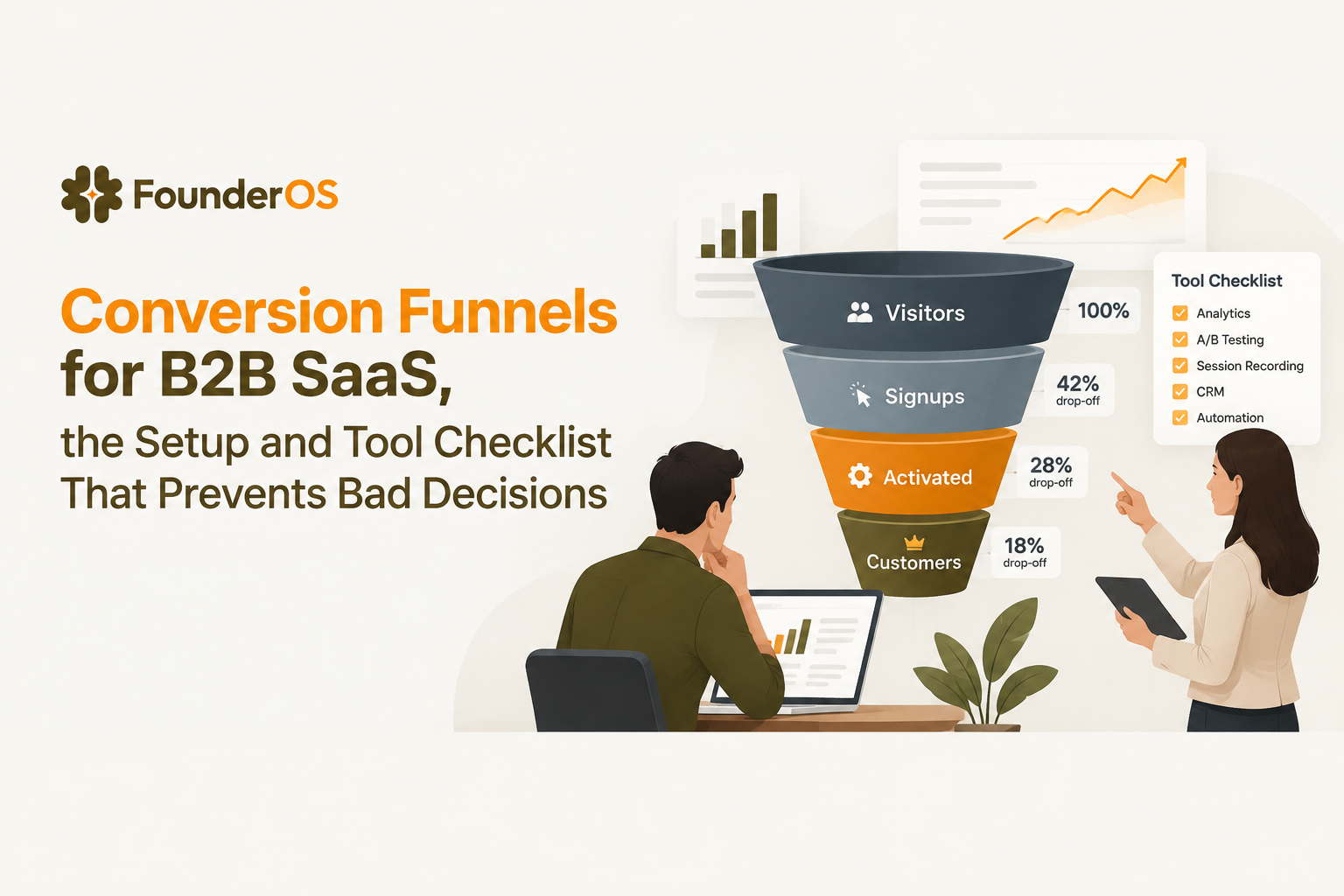
Conversion funnel tool checklist for B2B SaaS teams
The best conversion funnel tooling choice is the one that can enforce data quality, flexible step definitions, and governance without creating a permanent dependency on engineers or analysts.
Build vs buy decision criteria
Building in a warehouse can work if you already have stable event standards, analysts available, and a clear governance model. Buying a product analytics tool is typically better when you need fast iteration and self-serve diagnosis. Use these criteria to decide:
- Change frequency: if funnel definitions change weekly, self-serve matters more than perfectly modeled tables.
- Data drift risk: if multiple teams ship UI changes, you need guardrails around event naming and versioning.
- Time-to-diagnosis: if you need PMs to drill into user-level journeys, your tool must support it without SQL.
- Identity complexity: if accounts and roles matter, you need strong user-profile and account mapping.
Tool evaluation checklist you can use in a demo
Bring this checklist into every trial or demo and require the vendor to show it on your data if possible:
- Step flexibility: can you define steps by event + property constraints, and mix frontend and backend events?
- Identity model: can you reliably merge anonymous to known users, and analyze by account_id plus user_id?
- Deduping support: can you prevent double-counted state changes via unique IDs or ingestion rules?
- Segmentation depth: can you build dynamic segments based on sequences and recency, not just traits?
- Drill-down: can you click from a funnel drop-off into specific users and sessions?
- Governance: can you document events, control changes, and avoid “event sprawl”?
- Latency: are events visible fast enough to debug releases the same day?
When teams ask about optimization beyond diagnosis, I recommend establishing an experiment loop tied to instrumentation. This guide to conversion funnel optimisation lays out how to do that without chasing vanity uplifts.
Implementation plan and what good looks like in 30 days
A 30-day funnel rollout succeeds when you ship one trusted activation funnel, one upgrade funnel, and a weekly cadence that turns drop-offs into fixes.
Week-by-week rollout
- Week 1: Spec and audit
- Write funnel specs for activation and upgrade (3-6 steps each).
- Audit current events for naming consistency, required properties, and identity coverage.
- Define exclusions: internal users, QA, bot traffic, and backfills.
- Week 2: Instrumentation fixes
- Add missing backend state-change events (object created, integration connected, subscription created).
- Implement identity merge rules and ensure account_id is present after workspace creation.
- Add dedupe keys to high-risk events (billing, integration, imports).
- Week 3: Diagnosis and segmentation
- Set default segments: admin vs member, trial vs paid, high-intent vs low-intent.
- Run side-by-side funnel comparisons and pick one bottleneck step to fix.
- Review 15-30 user/session examples from the drop-off cohort.
- Week 4: Ship the first fix and measure
- Deploy an onboarding or product change targeted at the bottleneck step.
- Set a release note in your analytics so pre/post windows are clean.
- Monitor leading indicators: step-to-step conversion, time-to-complete, and error events.
Dashboards and alerts that keep the team honest
Good looks like three always-on views:
- Primary activation funnel with your default segments and a fixed time window.
- Upgrade funnel that uses backend billing events as the source of truth.
- Instrumentation health checks: event volume anomalies, missing properties rate, identity merge rate.
After running several funnel audits, the pattern was clear: teams moved faster once they added an “instrumentation health” view, because it stopped product debates from turning into data debates.
Where Founder OS fits if you want funnels plus GTM execution
Founder OS fits best when you want one place to define conversion funnels, inspect drop-offs at the user level, segment by behavior in real time, and then act through onboarding flows and GTM reporting.
How to validate fit against the checklist
Use your two written funnel specs (activation and upgrade) as the evaluation artifact. In Founder OS, the practical test is whether you can go from install to a working funnel quickly, then click from the drop-off step into the specific users who stalled, and finally build a segment that stays updated as behavior changes. Founder OS is designed around that workflow: capture actions immediately after install, tie events to user profiles, and let segments refresh in real time so interventions stay targeted.
When to choose Founder OS vs a warehouse-first approach
- Choose Founder OS if PMs and growth teams need to self-serve diagnosis, compare cohorts, and push onboarding changes without waiting on a data sprint.
- Choose warehouse-first if your funnel definitions are stable, you already have analysts dedicated to product instrumentation, and you mainly need executive reporting.
Either way, the decision should come back to trust: if your team cannot defend the event definitions and identity rules behind the chart, conversion funnels will create churn in your roadmap rather than reduce churn in your product.
| Evaluation area | What “good” looks like | Demo/test you should run |
|---|---|---|
| Step definition | Event + property constraints, backend events supported | Recreate activation step 3 using an object_id property |
| Identity | Anonymous-to-known merge, user_id and account_id analysis | Follow a user from pre-signup page view to post-login usage |
| Dedupe | Idempotent state-change events, no double counting | Trigger the same action twice and verify one conversion |
| Segmentation | Dynamic segments based on behavior sequences and recency | Build “invited teammate but not integrated within 3 days” |
| Diagnosis workflow | Drill from funnel to user/session detail | Click a drop-off bar and inspect 10 real sessions |
| Governance | Event documentation, change visibility | Ask how event definitions are versioned and audited |
FAQ
If you want to validate your current funnel instrumentation and rebuild your key activation and upgrade conversion funnels with clear step definitions, install Founder OS and then book a demo to map your events-to-funnel spec and ship an onboarding flow aimed at the highest drop-off step.
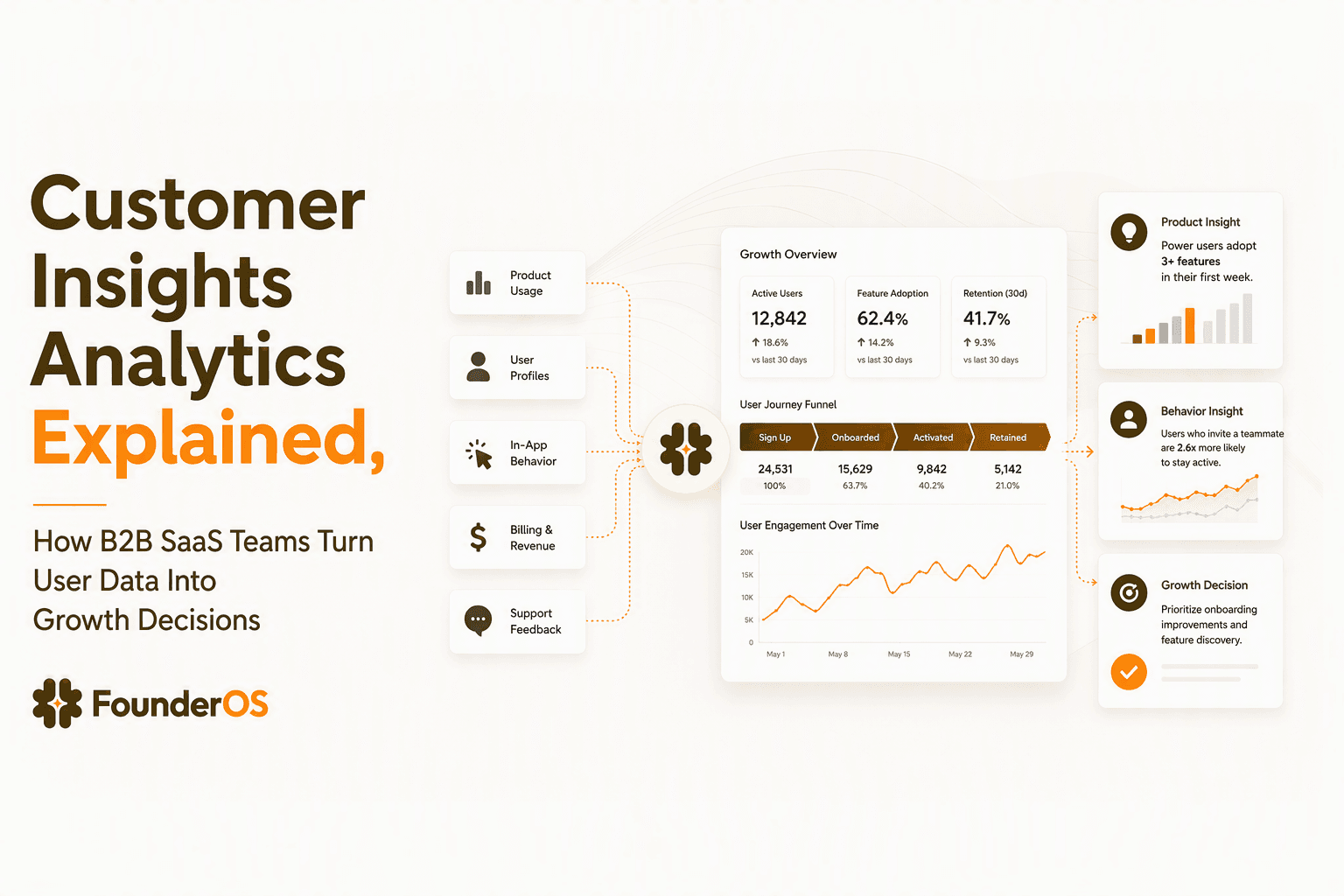
Customer Insights Analytics Explained, How B2B SaaS Teams Turn User Data Into Growth Decisions
Learn how customer insights analytics helps B2B SaaS teams connect user behavior, product data, and revenue signals to make growth decisions.
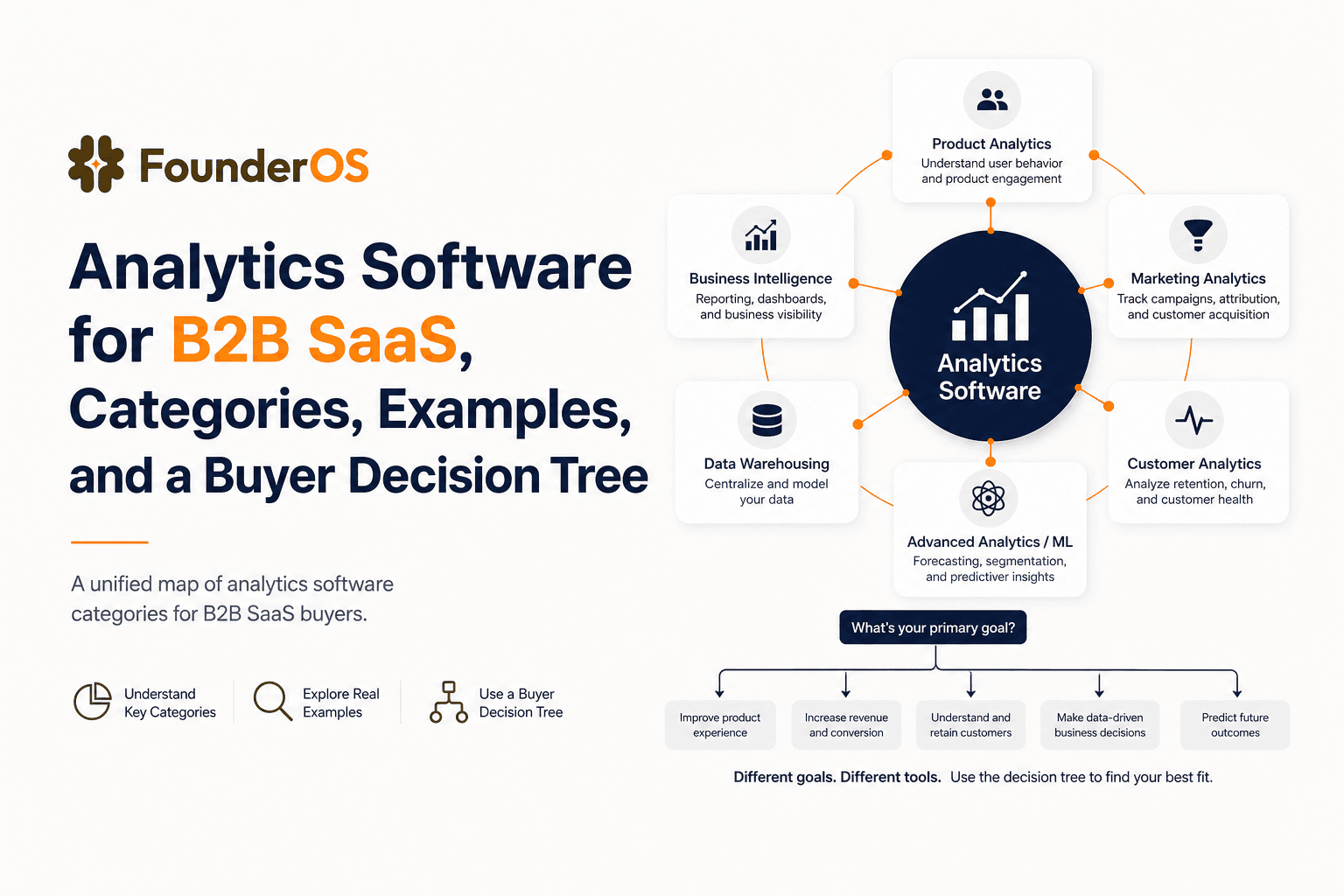
Analytics Software for B2B SaaS, Categories, Examples, and a Buyer Decision Tree
Choose analytics software for B2B SaaS with a clear category map, 10-minute decision tree, real workflows, and a practical buyer checklist.
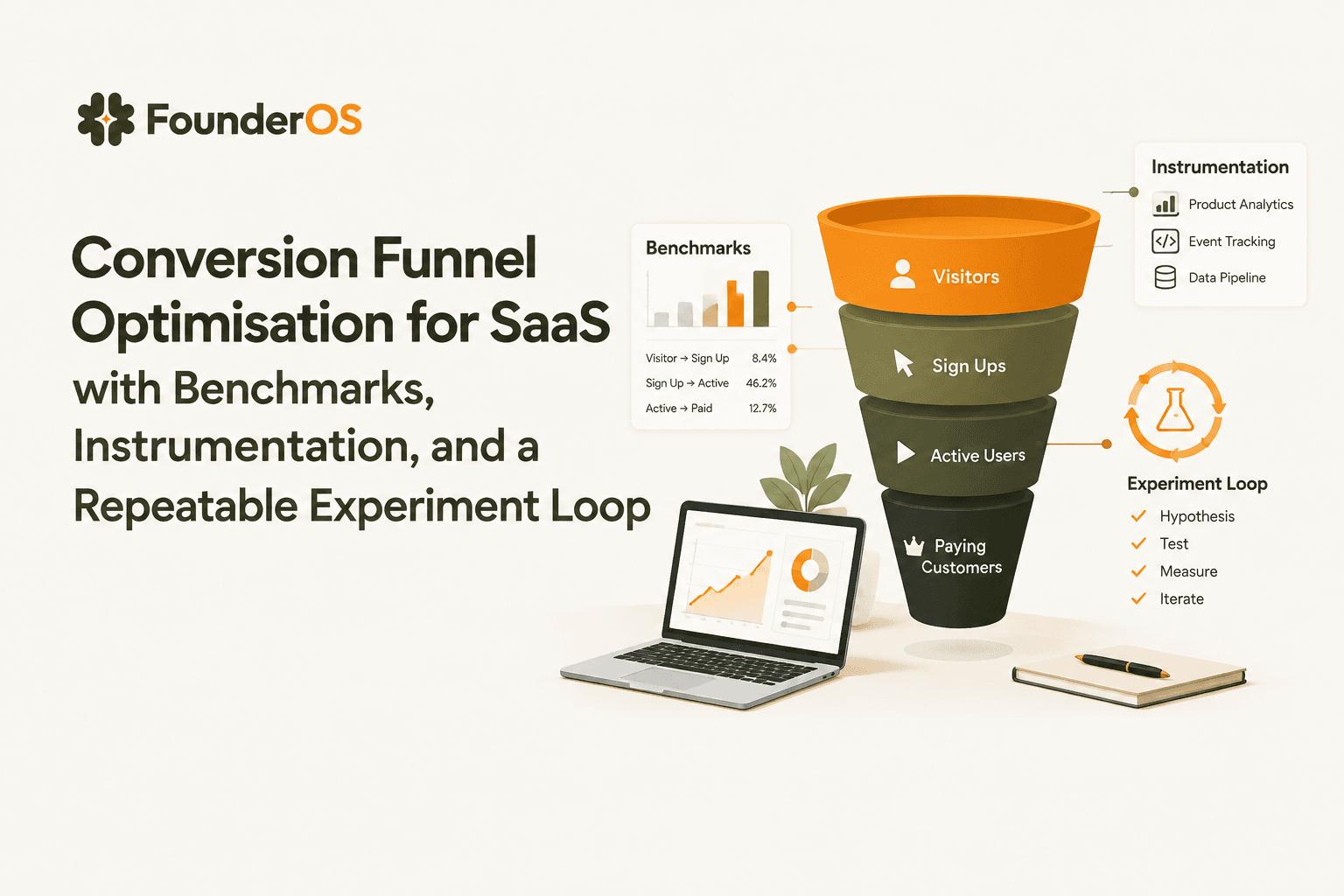
Conversion Funnel Optimisation for SaaS with Benchmarks, Instrumentation, and a Repeatable Experiment Loop
Learn conversion funnel optimisation with instrumentation rules, benchmarks, leak diagnosis, and a repeatable experiment loop for SaaS growth.