
Customer Experience And Analytics, A Measurement-First Guide For B2B SaaS Teams

Customer experience and analytics is the practice of measuring what customers feel and say (feedback) alongside what they do (behavior) so B2B SaaS teams can improve activation, retention, and support outcomes with evidence instead of opinions.
- Use three data streams together (VoC, behavioral, operational) to avoid “we fixed the wrong thing” loops.
- Make CX measurable by translating the 5 C’s into specific signals, dashboards, and actions tied to activation and churn.
- Start small: a minimal event taxonomy, basic identity resolution, and a weekly review cadence beats a big one-time CX “project”.
Customer Experience And Analytics, What It Is And What It’s Not
Customer experience and analytics connects customer feedback and operational outcomes to measurable journeys so teams can prioritize improvements that move retention, expansion, and cost-to-serve.
In B2B SaaS, “customer experience” can become a vague umbrella: product usability, onboarding, support, billing, reliability, even security reviews. Analytics makes it concrete by insisting on two things:
- A defined experience outcome (for example: “new admins reach first value within 7 days” or “support resolves setup issues in one touch”).
- A measurable chain of evidence from signals (events, tickets, surveys) to outcomes (activation, churn, renewal risk, time-to-resolution).
What it is: a measurement system that links (1) voice-of-customer inputs, (2) in-product behavior, and (3) operational service data to decisions about onboarding, product changes, and support workflows.
What it is not:
- Not only surveys. NPS and CSAT tell you “what”, but rarely tell you “where in the product” or “what action would fix it”.
- Not only journey maps. Journey mapping is useful, but without instrumentation it stays qualitative and hard to prioritize.
- Not the same as CX management software. CX management focuses on collecting and routing feedback; customer experience and analytics focuses on measurement, correlation, and operational decisions.
Typical owners: I usually see this work best when Product owns behavioral measurement, Support/Success owns operational definitions, and Marketing or RevOps helps with attribution and cohort cuts. The key is shared definitions for “activation” and “good experience”, not which team gets the credit.
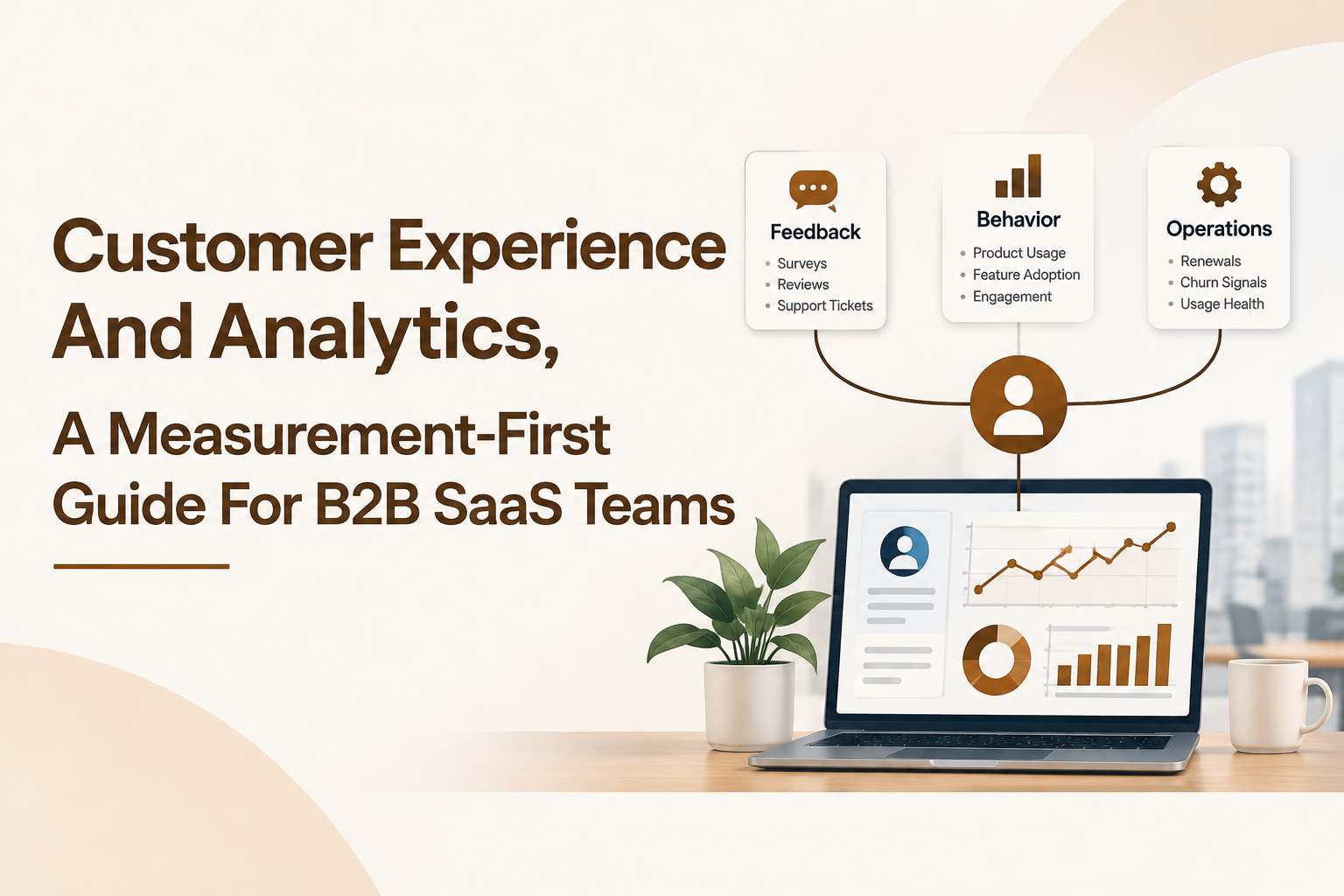
The 3 CX Data Streams You Need, VoC, Behavioral, And Operational
Customer experience and analytics becomes reliable when VoC feedback, behavioral events, and operational data answer different questions and then get joined for the same user and account.
Each stream is individually useful, but individually misleading:
- VoC (Voice of Customer) explains sentiment and perceived friction, but can be biased toward extreme experiences.
- Behavioral data shows what users actually do, but not always why.
- Operational data (support, billing, uptime) shows service reality, but not how it impacted adoption.
In practice, the fastest CX wins come from triangulation: “Users who answered CES ‘hard’ also repeat step 3 of onboarding 4+ times, and those sessions correlate with tickets tagged ‘SSO setup’.” That is a fixable, testable problem statement.
Data streams mapped to decisions
| Data stream | Common sources | Best questions it answers | Typical CX impact |
|---|---|---|---|
| VoC | NPS/CSAT/CES, onboarding surveys, exit surveys, interview notes, app store reviews | What feels confusing, hard, or valuable? What outcome did the customer want? | Prioritizes themes, reveals language to use in onboarding and docs |
| Behavioral | Product events, page views, clicks, feature usage, onboarding step completion | Where do users drop off? What path do retained users take? | Finds bottlenecks, validates whether changes improved activation |
| Operational | Support tickets, chat logs, call dispositions, first response time, resolution time, incident logs | How costly is friction? Which issues create repeat contacts or churn risk? | Reduces cost-to-serve, improves resolution and trust |
A minimal join strategy for SaaS teams
- User identity key: email hash or internal user_id (consistent across app, support, and survey tools).
- Account key: account_id or domain, plus plan and lifecycle stage.
- Timestamp: unify to a single timezone and keep raw event time for sequencing.
When I set this up with lean teams, the “unlock” is usually not a new dashboard; it is agreeing on a single canonical user_id and account_id and enforcing it across tools.
The 5 C’s Of Customer Experience, Turn A “Soft” Concept Into Measurable Signals
The 5 C’s framework turns customer experience and analytics into an operating model by defining five experience dimensions and giving each one measurable signals you can review weekly.
The specific C’s below are practical for B2B SaaS because they connect directly to activation, retention, and support load. For each C, the goal is not to create more metrics; it is to create one dashboard per C that answers “Are we getting better?” and “Where exactly is it breaking?”
1) Clarity: users understand what to do next
- Measurable signals: onboarding step completion rate; time to “first value” event; help-doc opens during onboarding (as a friction proxy).
- Dashboard: onboarding funnel from signup to first key action, segmented by persona (admin vs member) and acquisition source.
- Actions: rewrite the first-run checklist; add contextual tooltips on the highest-drop step; reduce optional choices early.
2) Confidence: users trust the product will work as expected
- Measurable signals: error event rate per active user; incident correlation with daily active usage; failed integrations or API error spikes by account tier.
- Dashboard: reliability view that overlays incidents with usage and churn-risk segments.
- Actions: improve error messaging; proactive status updates; add guardrails in setup flows where failures cluster.
3) Convenience: tasks take minimal effort
- Measurable signals: task completion time (from “start” event to “success” event); repeated attempts before success; CES on key workflows.
- Dashboard: path analysis for “setup completed” and “report exported” style workflows; cohort comparison before vs after UX changes.
- Actions: shorten multi-step flows; prefill defaults; move advanced options behind “expand”.
4) Care: customers feel supported when something goes wrong
- Measurable signals: first response time; first contact resolution (FCR); reopen rate; CSAT after ticket close.
- Dashboard: ticket volume and time-to-resolution by category, mapped to in-product friction events.
- Actions: improve macros and internal docs for top categories; add in-app guidance that prevents tickets; route urgent segments faster.
5) Continuity: experience stays consistent across touchpoints
- Measurable signals: mismatch rate between promised and used features (for example, “integration configured” never happens after sales handoff); cross-device session drop-offs; repeated authentication issues after plan upgrades.
- Dashboard: lifecycle journey from “trial start” to “activated” to “retained week 4”, with handoff points highlighted.
- Actions: align onboarding content with what was sold; standardize terminology across product, docs, and support; add post-upgrade checklist.
To keep this practical, pick one flagship workflow for each C. For example: Clarity = signup to first value; Convenience = invite team members; Care = SSO setup ticket; Confidence = API reliability; Continuity = upgrade and permissions.
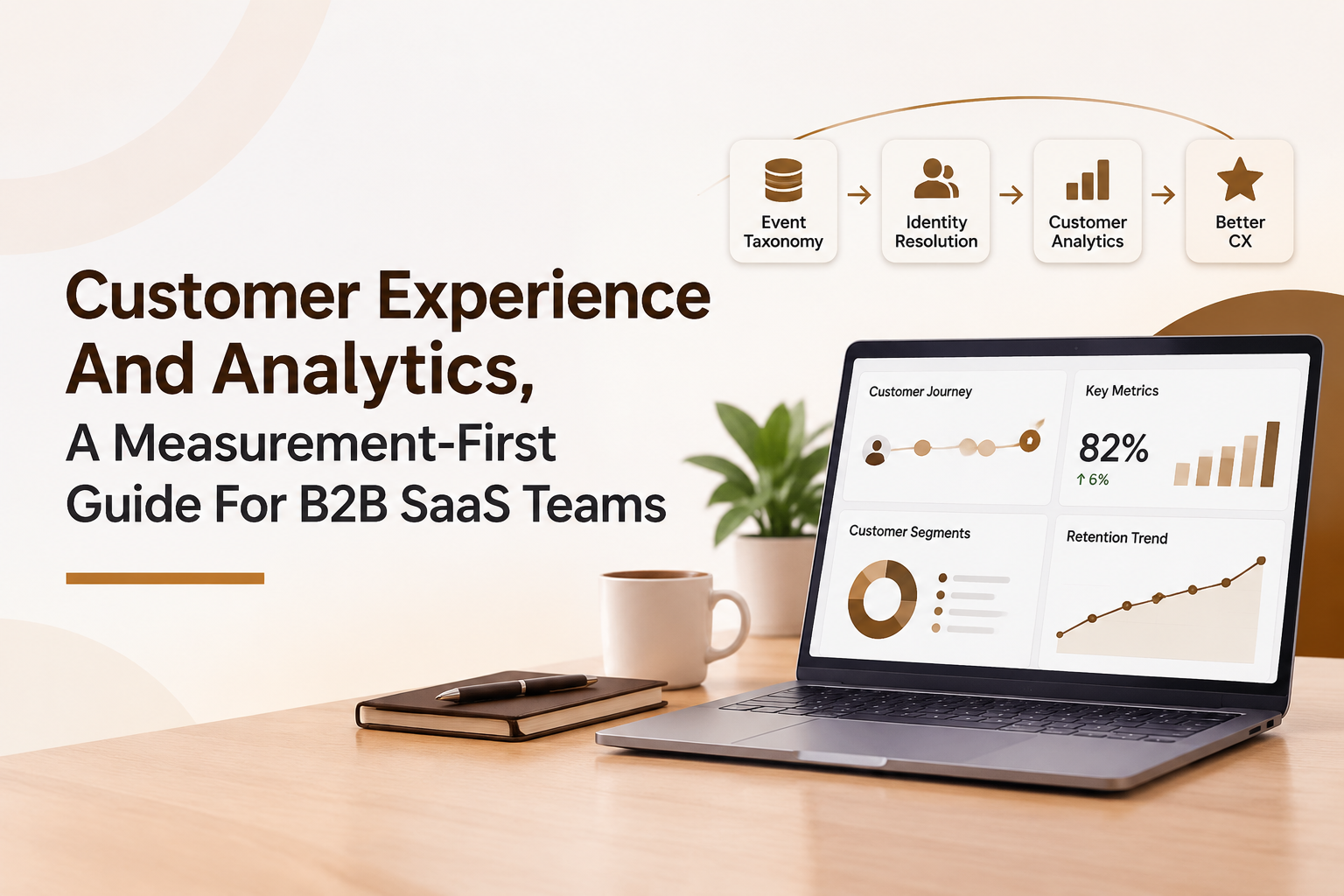
A Starter CX Analytics System For SaaS, From Event Taxonomy To Identity Resolution
A starter customer experience and analytics system for SaaS requires five building blocks: a thin event taxonomy, identity resolution, feedback tagging, operational categorization, and a weekly decision cadence.
This is intentionally “measurement-first” rather than tool-first. The goal is to reduce time-to-insight and avoid rebuilding tracking every quarter.
Step 1: Define two outcomes and three key journeys
- Two outcomes: one growth outcome (activation or retention) and one service outcome (support cost-to-serve or resolution quality).
- Three journeys: new user activation, a core value workflow, and a recurring “admin” workflow (permissions, billing, integrations).
Example outcomes: “Activation within 7 days” and “FCR for setup issues.” Example journeys: signup to first report, invite teammate, connect integration.
Step 2: Build a minimal event taxonomy (10 to 20 events)
Event taxonomies fail when teams try to track everything. The safer pattern is a small set of consistent verbs and a few “milestone” events that anchor funnels.
- Milestones: signup_completed, onboarding_completed, first_value_reached.
- Workflow events: integration_connect_started, integration_connect_succeeded, report_generated, export_clicked.
- Friction events: error_shown, permission_denied, validation_failed.
For each event, require: name, description, actor (user vs system), required properties (plan, role, account_id), and success criteria. If you cannot write the success criteria, it is not ready to track.
Step 3: Join identities across product, support, and surveys
- Start simple: user_id and account_id in every event, ticket, and survey response where possible.
- Handle edge cases: shared inboxes, forwarded surveys, multiple workspaces per email, and role changes.
- Practical rule: prioritize account-level joins for CX themes; use user-level joins for UX fixes and onboarding paths.
I have seen teams waste weeks arguing about perfect identity graphs; a “good enough” join for the top 80% of accounts usually delivers the first actionable insights quickly, and then you harden identity resolution over time.
Step 4: Tag VoC feedback to moments, not just themes
VoC becomes actionable when every response is linked to a moment in the journey.
- Add one “journey step” field to surveys: onboarding, setup, daily use, support, billing.
- Add one “feature area” tag that matches your product navigation.
- Capture free-text and categorize it weekly into a short list of “top friction drivers”.
Step 5: Create three default views and a weekly operating rhythm
- View 1: Activation funnel (signup to first value), segmented by persona and channel.
- View 2: Friction to ticket map (top friction events correlated with ticket categories).
- View 3: Retention cohort (week 1 and week 4 behavior of retained vs churn-risk users).
Cadence: 30 minutes weekly with Product, Support, and Success. Output: one prioritized hypothesis, one fix to ship, and one measurement to check next week.
CX Metrics That Actually Move Outcomes, Plus A Simple ROI Walkthrough
Customer experience and analytics delivers ROI when you connect a small set of CX metrics to churn, expansion, and support cost instead of treating them as vanity scores.
Start with a tight metric set
- NPS: useful for tracking relationship health over time, best at the account level.
- CSAT: best after specific interactions, especially support resolutions and onboarding milestones.
- CES (Customer Effort Score): best for workflow friction (setup, integration, exporting, admin tasks).
- FCR (First Contact Resolution): reduces repeat contacts and correlates strongly with perceived support quality.
- AHT (Average Handle Time): a cost metric, but only meaningful alongside quality metrics like FCR and reopen rate.
If you only choose one combo to start: pair CES on your activation workflow with FCR for the top setup ticket category. This covers both product friction and service recovery.
A simple ROI walkthrough (use your numbers)
Below is a template I use to estimate value without pretending you can attribute everything perfectly.
- Pick a measurable failure point: for example, “integration setup fails” or “onboarding stops at step 3”.
- Quantify volume: count affected accounts per month and their stage (trial, new paid, mature).
- Link to outcomes: compare churn or activation rates for affected vs unaffected cohorts.
- Estimate impact with a conservative delta: assume you close only part of the gap.
- Add support savings: ticket reduction times cost per ticket.
Worked example (with placeholders you can fill)
- Monthly new paid accounts: A
- Percent hitting “setup friction” segment: B%
- Activation rate without friction: C%
- Activation rate with friction: D%
- Conservative improvement after fix: close 25% of the activation gap
- Average monthly revenue per new account: $R
Activation lift estimate: affected accounts = A × B%. Activation gap = (C% − D%). Conservative lift = gap × 25%. Incremental activated accounts = A × B% × (C% − D%) × 25%.
Revenue estimate: incremental activated accounts × $R × expected retention months (use your own retention assumption, or just calculate the first month to stay conservative).
Support savings: if the friction also creates tickets, add (tickets reduced per month × blended cost per ticket). Even if you cannot price tickets precisely, tracking reduction in volume and handle time gives you directional evidence for cost-to-serve.
Linking metrics back to behavior
To make this operational, every CX metric should have a “behavioral companion.” Example: CES on setup should map to a setup completion funnel and a list of the top error events. This is where customer insights analytics becomes more than a dashboard, it becomes a weekly decision loop.
How To Start This Week, A 30-Day Checklist And Common Pitfalls
A 30-day plan makes customer experience and analytics real by shipping one measurable improvement and proving the measurement loop works end-to-end.
Week 1: Pick the journey and instrument the minimum
- Choose one journey: signup to first value, integration setup, or invite teammate.
- Define “first value” as a specific event (not a feeling).
- Track 10 to 15 events max, including at least 2 friction events.
- Create a basic funnel and segment by persona (admin vs member).
For teams new to instrumentation, I recommend writing a one-page spec before tracking anything. If you cannot explain the funnel steps to a support lead in two minutes, it is too complicated.
Week 2: Add VoC at the moment of truth
- Add a CES question after the key workflow completes (or fails).
- Add one free-text prompt: “What got in your way?”
- Tag responses with journey step and feature area.
Week 3: Connect operational data and prioritize fixes
- Pick the top 1 to 2 ticket categories that match your journey.
- Measure FCR, reopen rate, and time-to-resolution for those categories.
- Create a weekly “top friction drivers” list from events + tickets + VoC.
If you want deeper instrumentation guidance, an event-first approach like analytics events tracking helps keep tracking tied to decisions instead of random clicks.
Week 4: Ship one fix and validate with cohorts
- Ship one targeted fix (UX change, onboarding step, better error message, support macro, or in-app guide).
- Compare funnel conversion before vs after, and across cohorts.
- Review week 1 retention behavior for the fixed cohort, even if it is early.
Retention validation does not need to be fancy: a basic cohort view plus a consistent definition of “active” is enough to start. If you need a refresher on cohort math and interpretation, retention analysis is a good next read.
Common pitfalls (and how to avoid them)
- Survey bias: mitigate by triggering surveys on defined events, not only via email blasts.
- Misattributed identity: avoid using email alone; include account_id everywhere, especially for B2B with shared domains.
- Metric hoarding: one dashboard per C beats twenty charts no one owns.
- Confusing correlation with cause: use before/after cohorts and, when possible, controlled rollouts for UX changes.
- Ignoring engagement quality: pair raw activity with meaningful usage; metrics for user engagement can help you pick signals that reflect value, not noise.
| CX question | Minimum evidence to collect | Decision it enables |
|---|---|---|
| Where does activation break? | Signup to first value funnel + persona segments | Which step to redesign or guide with onboarding |
| Why are users struggling? | CES + free-text tagged to journey step + friction events | Which friction driver is most common and fixable |
| Is support improving experience or just closing tickets? | FCR + reopen rate + CSAT by category | Which categories need better docs, macros, or product fixes |
| Are changes improving retention? | Week 1 and week 4 retention cohorts + key feature adoption | Whether to roll out, iterate, or roll back a change |
FAQ
If you want a lightweight way to operationalize this, start with the checklist above and then track the key CX events and segments in Founder OS using Product Tracking, User Profile Tracking, and User Segmentation so you can connect feedback themes to real user journeys without a long instrumentation cycle.

Written by Anthony Do
Business Development Specialist at FounderOS, helping SaaS founders grow with product analytics and user activation.

Amplitude Product Analytics Review for B2B SaaS - Fit Checklist, Pricing Risk, and Due Diligence
Amplitude product analytics review for B2B SaaS: 30-minute fit checklist, pricing risk tests, vendor due diligence, and BI stack guidance.
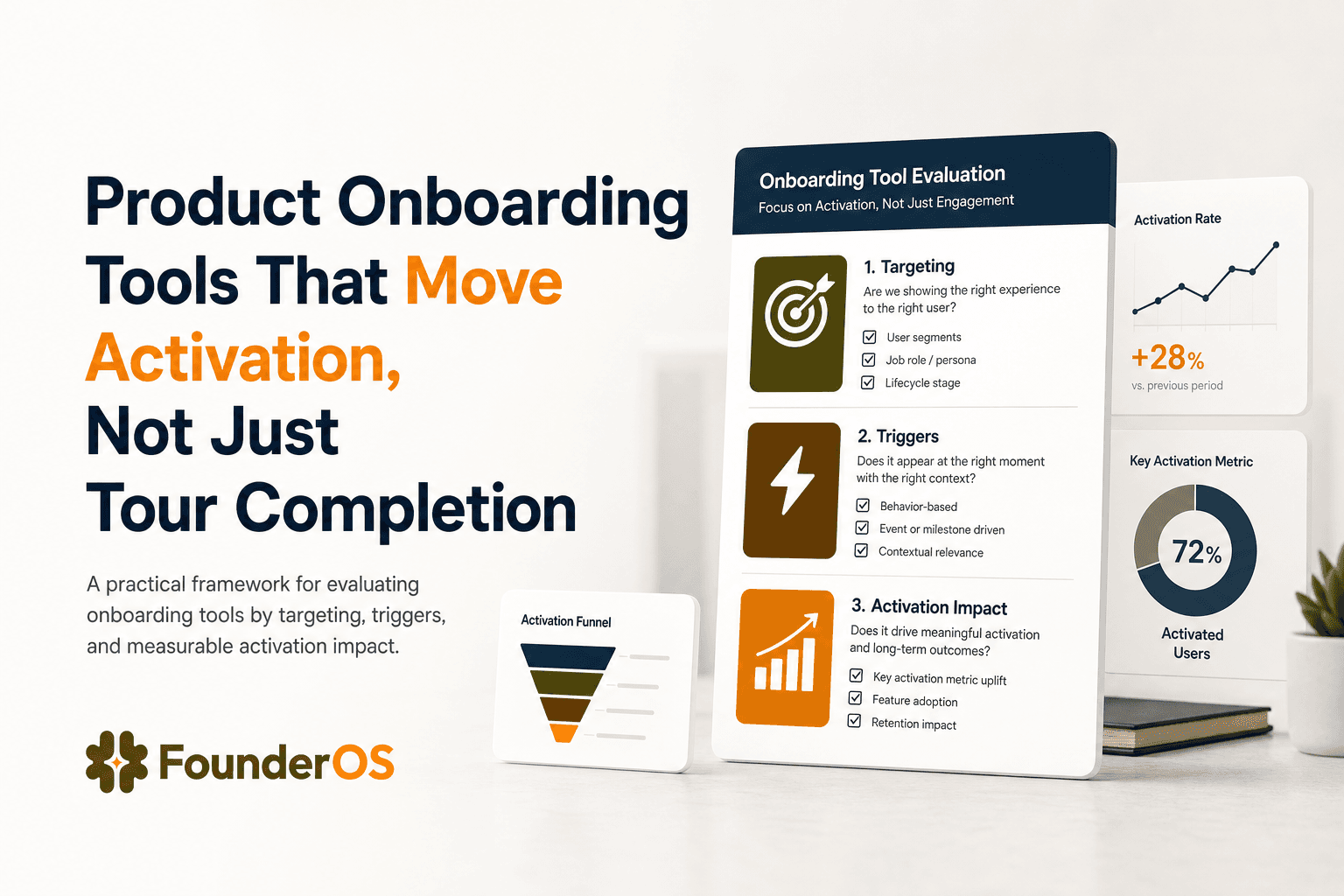
Product Onboarding Tools That Move Activation, Not Just Tour Completion
Compare product onboarding tools by motion, measurement, and targeting so you can pick a tool that proves activation impact, not just tour views.
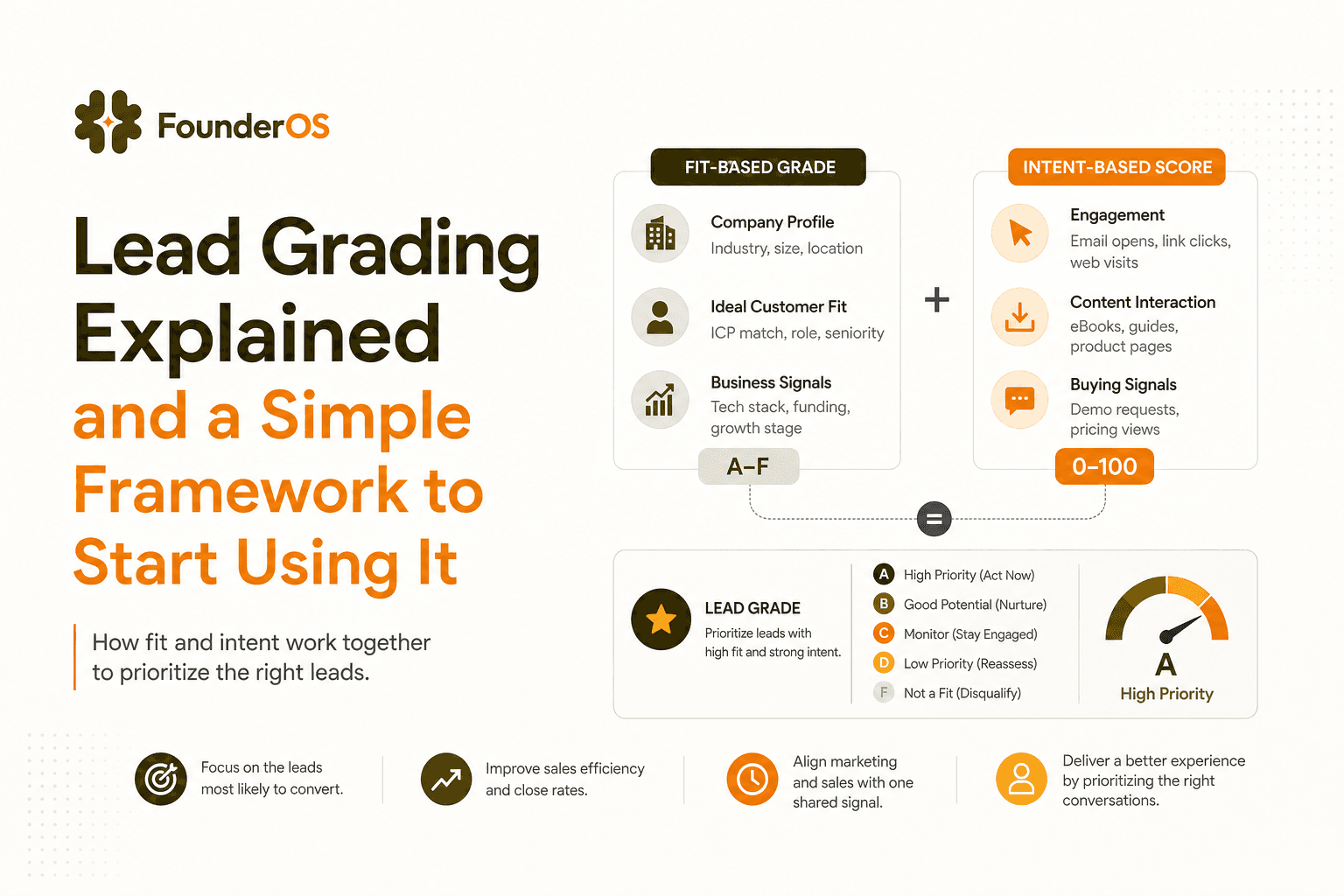
Lead Grading Explained and a Simple Framework to Start Using It
Learn lead grading vs scoring, set grades in an afternoon, and validate they predict pipeline and revenue with simple checks.