
User Funnel Analysis, A Practical Guide To Mapping Stages, GA4 Funnels, And Fixing Drop-Offs
User funnel analysis maps the exact steps a person takes from first touch to activation or purchase, then quantifies where momentum breaks so you can fix the highest-impact drop-offs first.
- Define your user funnel with event-level steps, a time window, and a single success metric per step so drop-off data is actionable.
- Use GA4 Funnel Exploration for fast diagnosis and breakdowns, then use SQL for exact ordering, time-to-convert, and repeat-user logic.
- Translate funnel leaks into a short list of testable causes, prioritize by impact and effort, and run a tight follow-up loop.
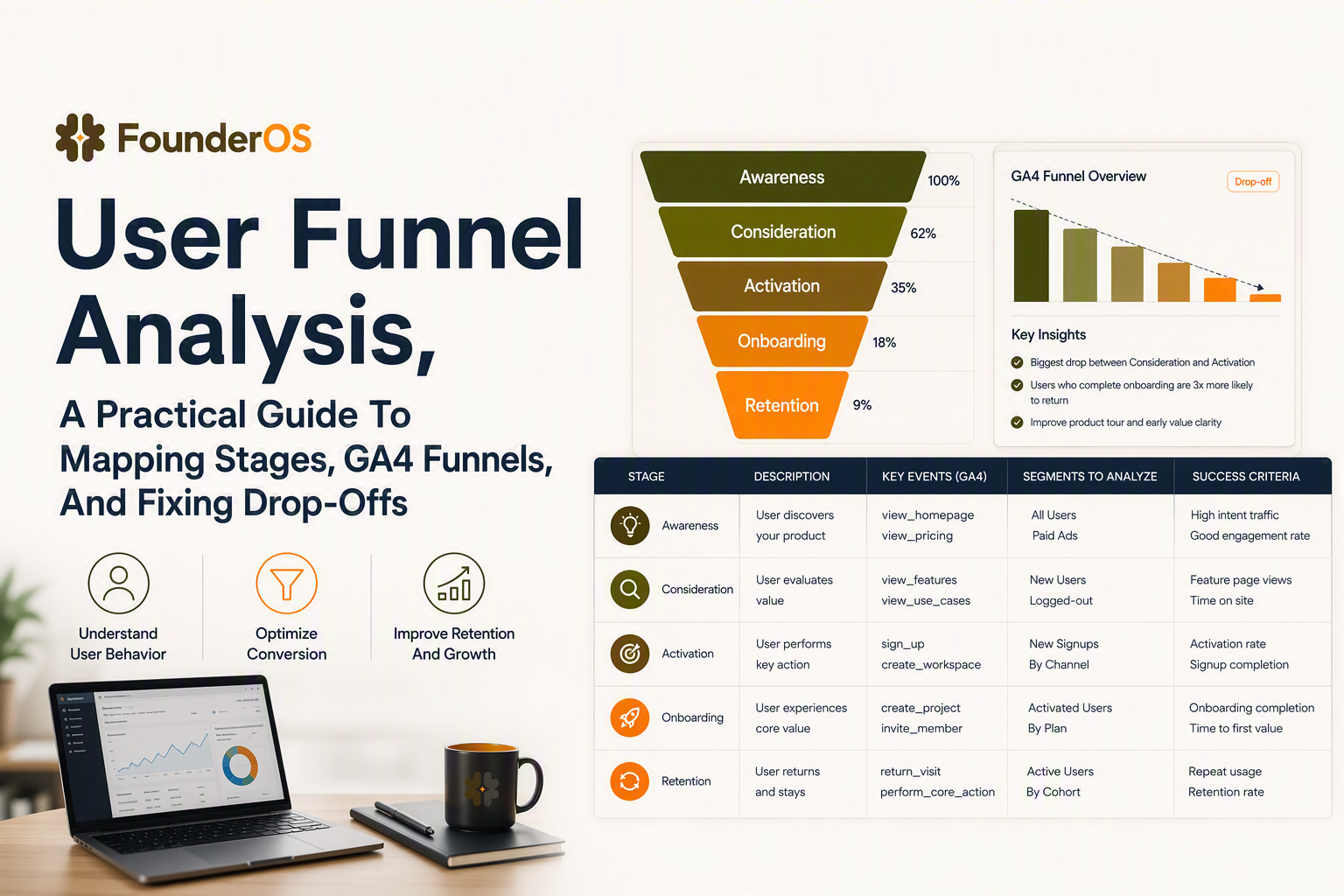
Explain the path from first touch to conversion, then separate sales, CRM, and product funnels
A user funnel is an ordered sequence of product or website events (performed by the same identified user) that ends in a measurable outcome like activation, trial start, or paid conversion.
Use one vocabulary map so product, growth, and sales stop talking past each other
Most teams lose weeks because “the funnel” means different things in different tools. The fastest fix is to explicitly map three frameworks and decide which one answers which question:
- User funnel (product analytics): event sequence by a person (or device) inside your product or site. Primary question: “Where do users drop off, and what behavior predicts success?”
- Sales funnel (pipeline): stage progression of accounts or deals (SQL, discovery, proposal, closed-won). Primary question: “Which deals will close, and what is the cycle time?”
- CRM lifecycle: contact/account states and marketing automation (lead, MQL, customer, churn risk). Primary question: “Who should we message, and when?”
Decision rule for choosing the right funnel view
Pick the framework based on the unit of analysis and the intervention you control:
- If you will change UI, onboarding, feature education, or pricing pages, you need a user funnel built from events.
- If you will change sales motions, qualification, or follow-up, you need a pipeline.
- If you will change email journeys, retargeting, or lead scoring, you need a CRM lifecycle.
Two guardrails that prevent misleading user funnel metrics
- Identity must be consistent across steps: define when anonymous becomes known (for example, at signup) and whether you stitch pre-signup events to the user id.
- Time window must match reality: activation in B2B often happens over days, not minutes. A 30-minute window can manufacture “drop-off” that is really “later.”
Show a reusable planning table and one onboarding or trial-to-paid example
A reusable planning table turns user funnel debates into concrete, measurable commitments by tying each step to an event, owner, segment, and success criteria.
The fill-in template we use before touching GA4 or SQL
Before instrumenting anything, align on a single definition per step. In our experience working with B2B SaaS teams, the biggest measurement mistakes happen when a step is named after a screen (“Onboarding”) instead of an observable action (“Created first workspace”).
| Stage (plain English) | Step name | Event (exact) | Success metric | Primary segment | Owner | Success criteria | Time window |
|---|---|---|---|---|---|---|---|
| First touch | Visited pricing | page_view(pricing) | % reaching next step | Paid-search traffic | Growth | Increase step1→2 by X% | Same session |
| Account created | Signed up | sign_up | Signup completion rate | All | Growth | Reduce abandonment to Y% | 30 minutes |
| Activation | Created first project | project_created | % activated | New SMB | Product | Reach Z% within window | 7 days |
| Value moment | Invited teammate | member_invited | % reaching value moment | Team accounts | Product | Increase by X% | 14 days |
| Revenue | Upgraded | subscription_started | Trial→paid conversion | Trialists | Revenue | Increase by X% | 30 days |
A concrete onboarding example you can copy
If your product has an onboarding checklist, a practical user funnel is:
- sign_up
- email_verified (or “SSO completed” if that is the real gate)
- workspace_created
- core_feature_used (define one event, not “used app”)
- aha_moment (for example, “report_exported” or “integration_connected”)
Success criteria should be a single number per step, for example “60% of signups complete workspace_created within 24 hours.” If you cannot state the number and window, the step is not ready to measure.
Walk through GA4 Funnel Exploration with a real sign-up to activation flow
GA4 Funnel Exploration is the fastest way to visualize user funnel step completion and drop-off, but you must choose open versus closed logic and the right identity settings to avoid false leaks.
Build the funnel and choose open vs closed based on your hypothesis
- Closed funnel: users must start at step 1. Use this when diagnosing signup completion or onboarding completion.
- Open funnel: users can enter at any step. Use this when you suspect users skip steps or discover features out of sequence.
When we tested closed versus open funnels for activation, what surprised our team was how often “activation drop-off” was actually “users activating from a different entry point” like a deep link from email.
Example setup for signup to activation in GA4
- Go to Explore → Funnel exploration.
- Set steps using events: sign_up → email_verified → workspace_created → core_feature_used.
- Set the funnel window to match your product reality (for activation, start with 7 days, then test 1 day and 14 days as sensitivity checks).
- Use breakdown by acquisition channel or landing page to see if the leak is a channel quality issue versus an onboarding issue.
- Add a segment comparison for new vs returning users if your app allows reactivation (returners will inflate conversion if you do not control for them).
How to interpret drop-off without jumping to the wrong fix
- Big drop at sign_up: often friction (password rules, SSO confusion, form errors). Validate by looking at error events, time on step, and device breakdown.
- Big drop at workspace_created: often “value not clear yet” or missing first-run guidance. Pair the funnel with a path exploration from sign_up to see where users wander.
- Drop at core_feature_used: often navigation or permission issues. Break down by plan, role, or company size if available.
If GA4 indicates the leak is concentrated in onboarding steps, connect the analysis to how you guide users through the user onboarding flow rather than changing acquisition spend first.
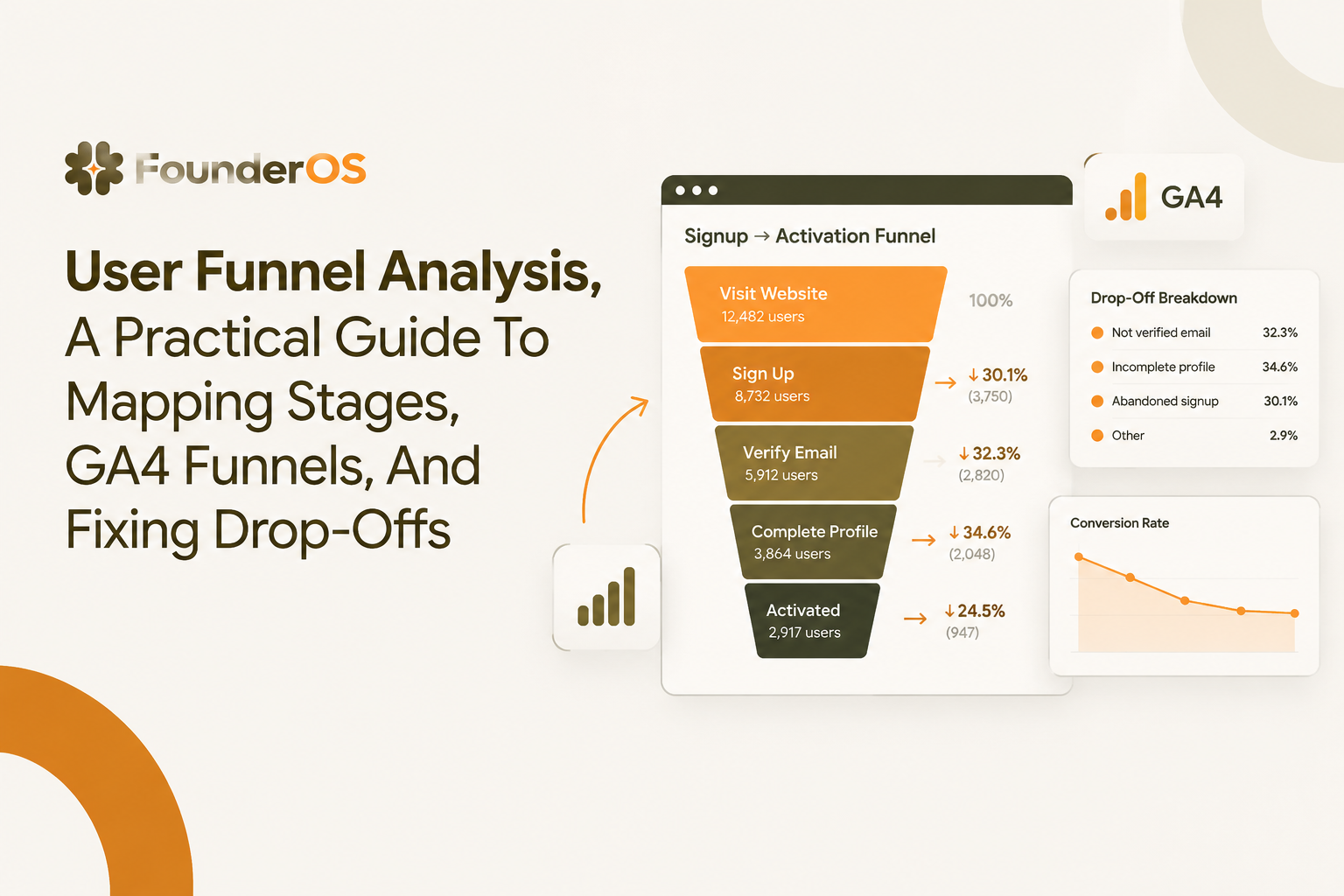
Provide a reusable CTE pattern and explain exact order, time windows, and repeat users
SQL is the most reliable way to compute a user funnel when you need exact step ordering, de-duplication, time-to-convert, and repeat-user handling that UI tools often simplify.
A warehouse-ready event model assumption
The pattern below assumes a table like events(user_id, event_name, event_time). If you also have session_id, utm_source, or plan, you can add them for breakdowns.
CTE pattern for ordered step completion
WITH step1 AS (
  SELECT user_id, MIN(event_time) AS t1
  FROM events
  WHERE event_name = 'sign_up'
  GROUP BY 1
),
step2 AS (
  SELECT e.user_id, MIN(e.event_time) AS t2
  FROM events e
  JOIN step1 s ON e.user_id = s.user_id
  WHERE e.event_name = 'workspace_created'
    AND e.event_time >= s.t1
    AND e.event_time <= s.t1 + INTERVAL '7 day'
  GROUP BY 1
),
step3 AS (
  SELECT e.user_id, MIN(e.event_time) AS t3
  FROM events e
  JOIN step2 s ON e.user_id = s.user_id
  WHERE e.event_name = 'core_feature_used'
    AND e.event_time >= s.t2
    AND e.event_time <= s.t2 + INTERVAL '7 day'
  GROUP BY 1
)
SELECT
  (SELECT COUNT(*) FROM step1) AS users_step1,
  (SELECT COUNT(*) FROM step2) AS users_step2,
  (SELECT COUNT(*) FROM step3) AS users_step3,
  ROUND(100.0 * (SELECT COUNT(*) FROM step2) / NULLIF((SELECT COUNT(*) FROM step1),0), 2) AS step1_to_2_rate,
  ROUND(100.0 * (SELECT COUNT(*) FROM step3) / NULLIF((SELECT COUNT(*) FROM step2),0), 2) AS step2_to_3_rate;
Exact order, time windows, and repeat users: the three places teams get burned
- Exact order: The join from step N to step N+1 forces ordering by time. Without it, any historical event can “complete” later steps and inflate conversion.
- Time window per step: Apply a window that matches your product cycle, not a default. We initially assumed a 24-hour activation window was standard, but cohort timing showed many legitimate activations happened on day 2 and day 3, especially for teams that needed internal approval.
- Repeat users: Use
MIN(event_time)after the previous step to capture first completion in-sequence. If you want “any completion” counts, compute both first and any to understand reattempt behavior.
Add time-to-convert so you can set realistic targets
SELECT
  AVG(EXTRACT(EPOCH FROM (t3 - t1)) / 3600.0) AS avg_hours_signup_to_core_use,
  PERCENTILE_CONT(0.5) WITHIN GROUP (ORDER BY EXTRACT(EPOCH FROM (t3 - t1)) / 3600.0) AS median_hours
FROM step3
JOIN step1 USING (user_id);
Median time-to-convert is often more stable than average when your user funnel has a long tail of late activators.
Compare GA4, Mixpanel, Amplitude, and Founder OS by event tracking, segmentation, and onboarding
The fastest tool shortlisting for user funnel work comes down to three criteria: event capture friction, segmentation power at analysis time, and whether insights can trigger onboarding or reporting workflows.
Shortlist criteria you can evaluate in a single afternoon
- Instrumentation effort: auto-capture vs strict schemas; ability to define custom events without long engineering cycles.
- User-level analysis: user profiles, identity stitching, and the ability to inspect individual sessions behind a drop-off.
- Segmentation: behavioral cohorts (did X then Y within Z) plus attribute filters, and how quickly segments update.
- Workflow fit: does the tool only show charts, or can it feed onboarding nudges, alerts, or recurring reports.
Practical comparison table
| Tool | Best fit | Strength for funnels | Limit to watch |
|---|---|---|---|
| GA4 | Web-first analytics and acquisition reporting | Funnel Exploration is quick for diagnosis, breakdowns by channel, and lightweight setup | Event modeling and user-level debugging can feel constrained for product-led apps |
| Mixpanel | Product analytics with strong event-based exploration | Fast interactive funnel analysis and cohorting for product behaviors | Operational workflows often need separate tools for onboarding and reporting |
| Amplitude | Product analytics for larger teams with deeper analysis needs | Advanced segmentation and behavioral cohorts for complex user funnels | Complexity and governance can increase setup and admin overhead |
| Founder OS | Founders who want a lightweight GTM analytics stack | Product tracking plus user profiles and real-time segmentation, with the option to connect funnel insights to onboarding and GTM reporting | If you need enterprise-wide data governance, validate fit for your org requirements |
How to pick without over-optimizing
If you are diagnosing acquisition-to-activation on a marketing site and app, start with GA4 and only move when you hit limits in segmentation or user-level inspection. If you are already event-driven and want funnels to directly inform onboarding and recurring GTM reporting, evaluate whether a combined stack reduces handoffs and lag between insight and action.
Translate root causes into tests, prioritization, and a simple follow-up workflow
User funnel drop-offs become real growth only when every leak is converted into a ranked list of testable causes, an experiment plan, and a weekly re-measurement loop.
Root-cause checklist by step type
- Form or verification step: field errors, password constraints, deliverability, SSO confusion, mobile keyboard issues.
- Setup step: unclear next action, missing sample data, permission blockers, slow loading, integrations required too early.
- Core feature step: discoverability, empty states, unclear success state, missing “first win” guidance.
- Upgrade step: pricing clarity, plan gating surprise, missing ROI proof, billing friction.
Prioritize fixes with an impact-effort-evidence score
Use a simple scoring system so the team does not argue based on gut feel. For each candidate fix, score 1 to 5 on:
- Impact: how many users hit the step and how large the drop-off is.
- Effort: engineering and design days, plus coordination cost.
- Evidence: strength of signal from breakdowns, session replays, support tickets, or error events.
After running multiple funnel audits, the pattern was clear: fixes with high evidence (for example, a single device type showing disproportionate drop-off) outperform broad redesigns that are hard to attribute.
A repeatable weekly workflow
- Monday: pull the user funnel report for the last 7 days and compare to the prior 7 days.
- Tuesday: drill into the biggest step drop-off with 1 breakdown and 1 segment comparison.
- Wednesday: write one hypothesis per top segment, choose the smallest viable test, and define the primary metric (step conversion) and a guardrail metric (refunds, support tickets, or time-to-complete).
- Thursday: ship the change and annotate the release.
- Next Monday: re-measure the same funnel steps and decide to keep, iterate, or revert.
For deeper diagnostic methods, see funnel analysis and conversion funnel analysis frameworks that tie directly to fix selection. When you are ready to implement, the fastest path is usually to optimize conversion funnel performance by focusing on the single largest leak first.
FAQ
If you want a lightweight way to track product events, build user profiles and segments, and connect user funnel insights to onboarding and GTM reporting, evaluate Founder OS as an all-in-one stack that reduces the gap between diagnosis and action.
Free Product Tour Software That Actually Drives Activation, A Buyer Checklist and Fast Setup Plan
Choose free product tour software that boosts activation. Use this checklist to avoid free-plan traps and launch a measurable tour in 60 minutes.
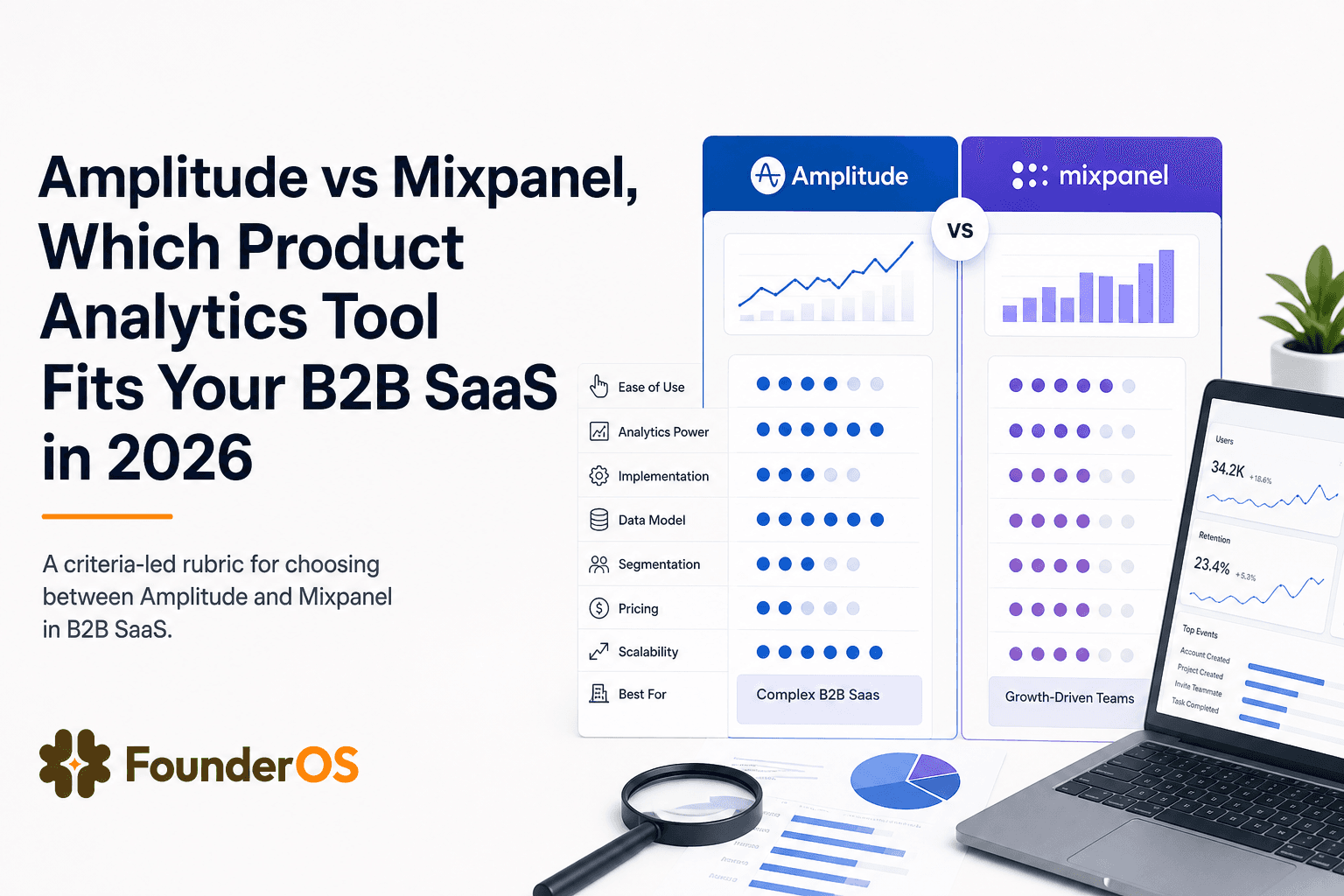
Amplitude vs Mixpanel, Which Product Analytics Tool Fits Your B2B SaaS in 2026
Amplitude vs Mixpanel comparison for B2B SaaS teams in 2026. Use a fast rubric for data model fit, analysis depth, collaboration, and TCO.
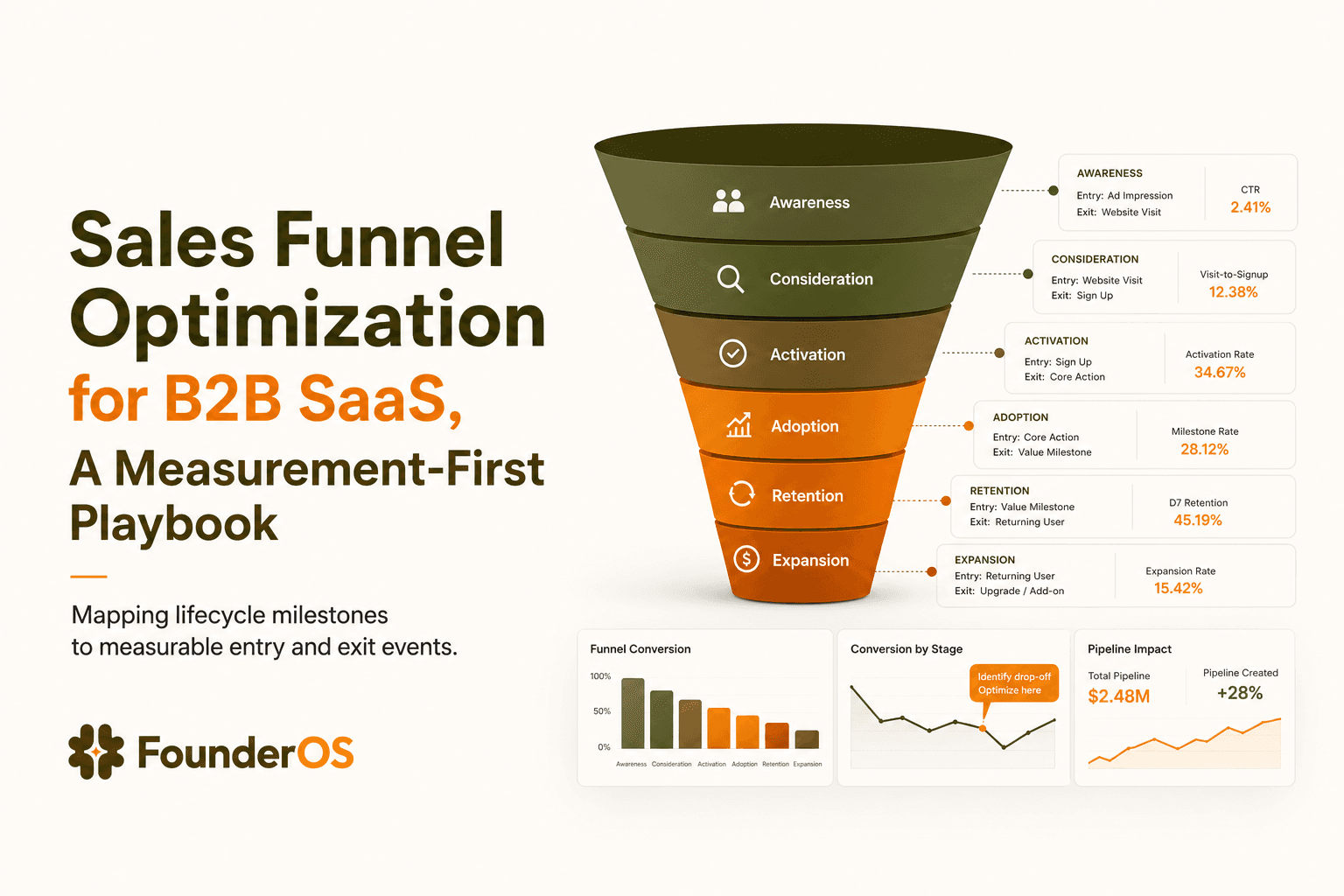
Sales Funnel Optimization for B2B SaaS, A Measurement-First Playbook
Learn sales funnel optimization for B2B SaaS with event tracking, leverage-point math, root-cause diagnosis, and experiments tied to revenue.